
Introduction: Why Registering a Receiving Bank Account for Youth Worker Support Funds Is Important
For young people continuing their working lives amidst soaring prices and high inflation, government support funds are precious funds like rain in a drought. From the Youth Tomorrow Savings Account helping with asset formation to various youth worker support systems boosting work motivation, you must have successfully met the requirements and been selected as a target.
However, it is still too early to rest easy here! Even if you are finally selected as a support fund recipient, if you do not correctly register the ‘receiving account’ to actually receive the money or miss the timing, a dizzying situation may occur where payment is delayed indefinitely or, in severe cases, your selection is canceled.
There are surprisingly many people who skim past account registration thinking, “Surely they won’t withhold the money?”, only to panic when it is not deposited long after the payment date. In particular, if the account name does not match or there is a minor input error, it is automatically rejected by the system, making accurate registration from the very beginning more important than anything else.
In this post, we will easily and clearly organize how to accurately register your receiving account and the key points you must watch out for in order to safely receive your youth worker support funds without a single day of delay. Please read until the end to claim your precious support funds without a hitch!
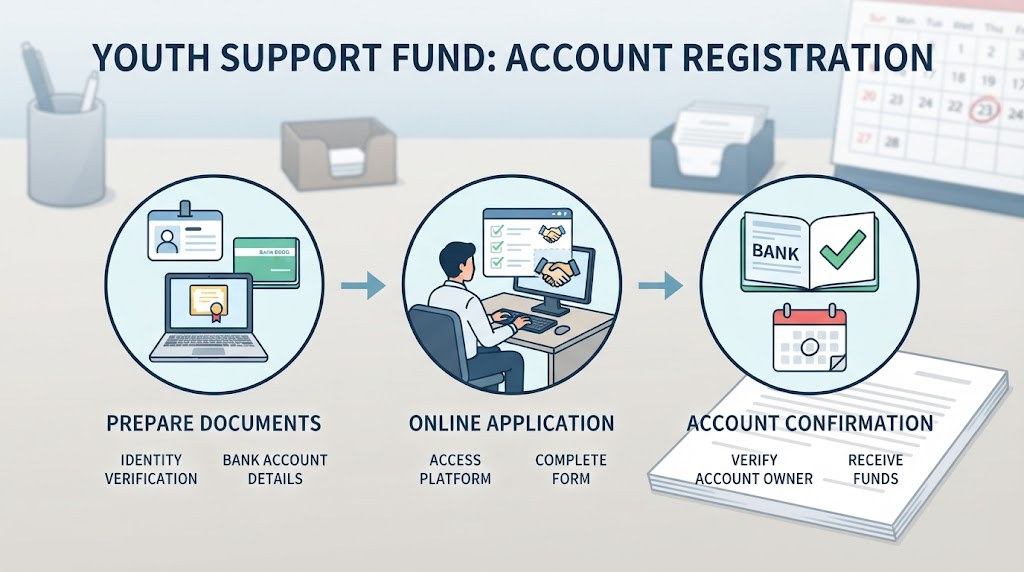
2026 Latest Standards: Support Fund Receiving Account Registration Targets and Prerequisite Preparations
If you have been selected as a target for youth worker support funds, there are two things you must check before officially receiving the support funds. They are ‘who needs to register an account (target)’ and ‘what is needed when registering (prerequisite preparations).’
We will neatly organize the conditions that are easy to confuse based on the latest 2026 standards.
- Support Fund Receiving Account Registration Target: Whose Account Should Be Entered?
Account in the Name of the Support Fund Selected Person Required:
Youth worker support funds and various government support funds can only be registered and received in an account under the name of the person selected as the support recipient.
Account under Another Person’s Name and Family Member’s Name Absolutely Prohibited:
If you enter an account under another person’s name, such as parents, spouse, or siblings, the support fund payment will be automatically rejected or withheld due to the inability to verify your identity.
Anti-Seizure Account Precautions:
If you are using an anti-seizure account (such as a Happiness Keeper Passbook) due to debt or other reasons, some support fund systems may not allow deposits into that account, so you must check in advance whether deposits are possible through the customer center or announcement of the relevant support project.
- 3 Prerequisite Preparations to Check Before Account Registration
For smooth and fast registration, setting up the preparations below in advance will make it much easier.
① Joint Certificate or Simple Authentication Means (Naver, Kakao, etc.)
Essential for logging into government support fund payment platforms such as Employment24, Bokjiro, Youth Portal, etc., and authenticating the account in your name.
② Accurate Account Number and Bank Name in Your Name
Check the account number of your main transaction bank that you frequently use in advance. (Dormant accounts or long-term unused accounts may have restricted deposits, so please prepare an account that is currently in normal transaction, if possible.)
③ Support Fund Selection Notification Text (SMS) or Selection Result Official Document
You must accurately check and enter the name of the agency or project in charge of support fund payments to prevent errors. It is recommended to check the account registration period (deadline) guided in the selection notice in advance.
💡 Tip: Even if you select the wrong bank or make a single mistake in the account number digits when registering an account, the payment date can be delayed by a week or more. Make a habit of clicking the [Account Validity Verification (Check Name Match)] button after entering to make sure it was successfully registered!

Practical Guide on How to Register Youth Worker Support Fund Accounts by Platform
If you have received the good news that you have been selected as a support fund recipient, it is now time to enter the account where you will actually receive the support funds into the system. Depending on the nature of the project, youth worker support funds require you to register your account through the platform where you applied, such as Employment24 (HRD-Net), Bokjiro, or local government youth portals (Youth Mongddang Information Tong, etc.).
We will guide you through a practical registration guide based on Employment24 and integrated government platforms, which are the most representatively utilized!
Step 1: Access the Official Website of the Support Fund Application Platform and Log In
Access the respective platform where you applied for the support funds (e.g., Employment24 work24.go.kr or Bokjiro, etc.).
Press the [Log In] button at the top right, and safely log in through a joint certificate (official certificate) or simple authentication (Naver, Kakao Pay, etc.) in your name.
Step 2: Go to My Page or [Support Fund Application/Payment Management] Menu
After logging in, enter your [My Page] or [My Service] menu from the main screen.
Click the ongoing support project list or ‘Support Fund Application History’ tab to check the name of the youth worker support project for which you were selected.
Step 3: Enter Receiving Account Information and Verify Your Name
Press the [Change Account] or [Register Payment Account] button within the detailed inquiry screen.
[Caution] Be sure to accurately enter the bank and account number, which must be an account under the name of the support fund applicant.
After entering, you must go through real-time verification to check whether the names match in the system by pressing the [Account Validity Verification (Check Account Holder)] button. (If you do not go through this step, final registration may not be completed!)
Step 4: Check Final Save and Registration Completion Screen
After checking that the account information and account holder’s name are entered correctly, press [Save] or [Final Submission].
Once a pop-up message saying “Account information has been successfully registered” appears and the processing status changes to ‘Registration Complete’ or ‘Pending Approval’, all processes are finished!
💡 Practical Registration Tip:
Depending on the platform, the account registration period is often strictly determined. If you have received a selection notification text message, do not procrastinate and we strongly recommend accessing it at least 2 to 3 days before the deadline specified in the announcement to safely complete your account registration!
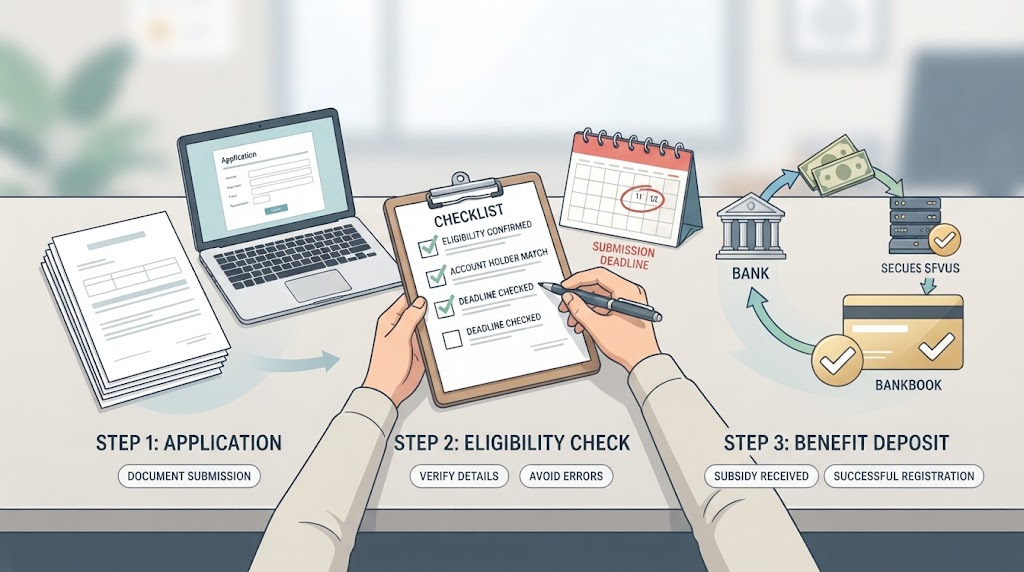
TOP 3 Frequent Mistakes and Rejection Reasons When Registering an Account
“I clearly entered my account, why isn’t it being paid?” Quite a few people eagerly wait for the support fund payment date only to regretfully receive a rejection notice. It would be really upsetting if the deposit of support funds is delayed due to minor carelessness or misjudgment!
We will point out the TOP 3 most frequent reasons for account registration rejection at the responsible agency, so please pay close attention before registering!
TOP 1. Discrepancy Between Account Holder Name and Support Fund Applicant Name (Family and Other People’s Names)
Cause of Occurrence: This is the case when you miss the principle that you must use an account in your own name and instead enter an account in the name of your parents, spouse, or family members who usually have a larger balance.
Solution: Government support funds are deposited 100% only into accounts under the applicant’s own name to prevent fraudulent receipt and verify identity. Jointly-owned accounts or accounts under another person’s name are unconditionally rejected, so please be sure to use a passbook under your own name.
TOP 2. Entering a Dormant Account, Anti-Seizure Account, or Suspended Transaction Account
Cause of Occurrence: This is when a system error occurs because you entered a long-term unused account (dormant account) that you don’t usually use well, or registered an anti-seizure account (such as a Happiness Keeper Passbook) whose deposits and withdrawals are restricted due to debt or other reasons.
Solution: You must enter an activated account of your main transaction bank where deposits and withdrawals have been made normally up until recently. In particular, since anti-seizure accounts often cannot receive deposits of certain government support funds at all, it is safe to enter a general deposit and withdrawal passbook.
TOP 3. Typo in Account Number Digits and Bank Code Selection Mistake
Cause of Occurrence: This is a mistake where you accidentally press the wrong number while quickly entering your account number on a smartphone or PC, or confuse the bank name (e.g., Kookmin Bank and Woori Bank, or securities accounts, etc.) and select a different financial institution.
Solution: After entering the account number, you must visually verify it more than twice, and go through the step of clicking the [Account Holder Inquiry] or [Validity Verification] button provided by the platform to make sure your name appears correctly.
💡 Blog Tip:
If account information is entered incorrectly and rejected, the person in charge will send a revision guidance text message or request re-registration, so the support fund payment date will be delayed by at least several weeks. Double-check the name and account number thoroughly upon initial registration to get approved all at once!

Conclusion and Tips for Checking Support Fund Payment Schedules
So far, we have carefully examined why registering a receiving account for youth worker support funds is important based on the latest 2026 standards, targets and prerequisite preparations, practical registration methods by platform, and frequent mistakes (TOP 3 rejection reasons).
As important as being selected as a support fund recipient is registering an accurate account without errors and figuring out the deposit schedule. So that your precious support funds are not delayed due to a single minor input mistake, please refer to the guide provided today and finish your registration with plenty of time!
Lastly, we summarize 2 core tips for successful support fund receipt.
- Check Account Registration Deadline and Actual Support Fund Payment Date in Advance
Local government support funds and central government youth projects have designated payment dates every month (e.g., the last day of every month, or specific business days, etc.).
If you barely complete account registration just before the deadline, you may be omitted from this month’s payment targets and pushed to the next month, so make sure to take notes of the payment schedule and deadline specified in the announcement in your calendar ahead of time.
- Check Final ‘Payment Complete’ Status on My Page
It doesn’t end just because you registered an account; it is safe to periodically check whether the processing status on the support project detail page or My Page has changed from [Account Registration Complete] or [Pending Payment] to the final [Payment Complete].
If the scheduled deposit date has passed by a long time and it is still not deposited, it may be because the bank maintenance time of the entered account overlapped or it is in a rejected state, so we recommend inquiring quickly with the relevant project’s department in charge or call center.
Precious youth support funds solidly backed by the government amidst a tiring working life—don’t delay and check your account registration status right today! We sincerely cheer for you to take all the fruitful benefits that will thicken your wallet.
If this post was helpful, please leave likes, comments, and neighbor additions, and we will come back with more useful youth policy and support fund information. Thank you!
Korean version: 한국어로 읽기