The national health screening eligibility inquiry system is a core administrative service designed to ensure that all South Korean citizens can enjoy disease prevention benefits without omission according to a set cycle. Supervised by the National Health Insurance Service, this system was established to detect major chronic and critical diseases commonly occurring in modern people—such as hypertension, diabetes, and cancer—early on and induce timely treatment, thereby promoting public health and alleviating the burden of medical expenses.
Although screening target recipients are newly selected every year or according to a specific cycle, it is not uncommon for individuals to fail to accurately recognize whether they are included in this year’s screening targets or miss the deadline amidst busy daily lives. Accordingly, the introduced ‘target inquiry service’ acts as a practical guide that helps individuals easily check in real-time whether they are subject to examination and their screening items (general health screening, cancer screening, infant screening, etc.) through the corporation system.
The reason why checking national health screening eligibility is essential goes beyond simply knowing whether screening is possible; it is the first step to protect your health sovereignty without missing the golden time of a disease. By checking your eligibility in advance and systematically planning your schedule, you can avoid the extreme congestion at the end of the year and lay the starting point for the most rational health management to prepare for the 100-year era.

How to Use PC for Target Inquiry Through the National Health Insurance Official Website
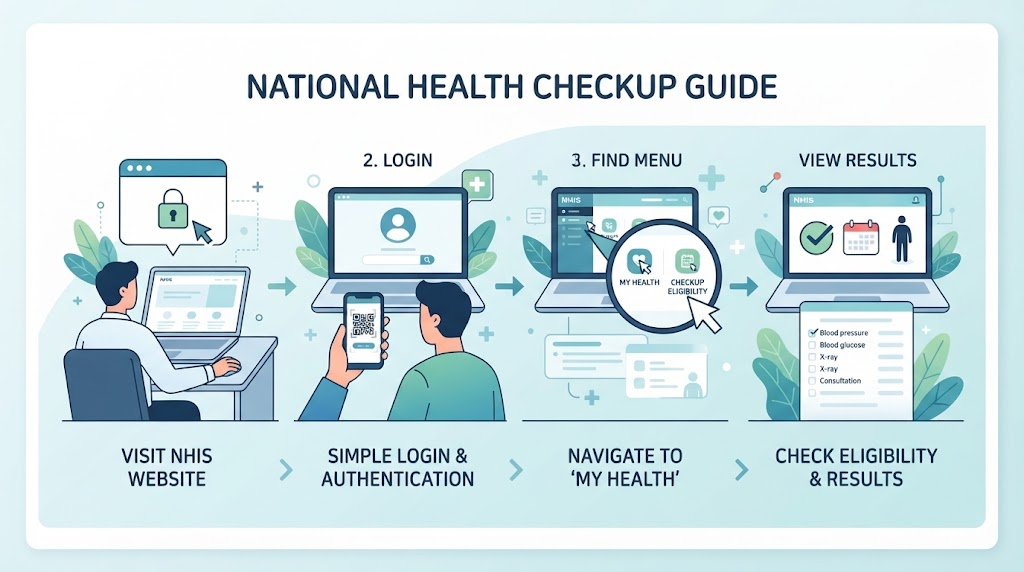
We guide you through the specific procedure to easily check on a PC whether you are a target for this year’s national health screening through the official website of the National Health Insurance. The PC environment is very convenient as it allows you to check detailed screening items and eligibility at a glance through a large screen.
First, access the official website of the National Health Insurance Service and proceed with identity verification through the login menu located at the top or on the main screen. Once you complete the login by selecting the most convenient method for you among joint certificates, financial certificates, and simple authentication (private certificates), you can use personalized services.
Second, move to the ‘Health In’ category among the menus at the top of the homepage, and then click the ‘My Health Management’ or ‘Health Screening Target Inquiry’ menu. For office workers, target recipients may be notified in bulk on a workplace basis, but detailed individual inquiries can be checked transparently and accurately through this menu.
Lastly, when you enter the inquiry page, the screen immediately displays whether you are a target for this year’s general health screening and whether you are included in cancer screenings (stomach cancer, colorectal cancer, liver cancer, breast cancer, cervical cancer, etc.). Carefully review the confirmed details and precautions guided on the right side of the target items, and if necessary, directly print out the health screening target confirmation certificate for personal verification or save it as a file to use when booking a hospital visit, enabling you to prepare for the screening more quickly and smoothly.
Simple Smartphone Inquiry Procedure Using the ‘The Health Insurance’ Mobile App
The most representative way to easily check your national health screening eligibility anytime and anywhere using a smartphone is by using the official mobile app of the National Health Insurance Service, ‘The Health Insurance’. It is very convenient because you can check your screening details in real-time with just a few touches without needing to turn on a PC or visit a public institution directly.
First, search for the ‘The Health Insurance’ app in your smartphone’s app store (Google Play Store or Apple App Store), download it for free, and install it. After launching the app, complete your identity verification login on the initial screen by selecting one of the simple authentications (Kakao, Naver, Toss, etc.), financial certificates, or joint certificates for smooth service use.
Second, after logging in, touch the ‘Health Screening’ or ‘Screening Target Inquiry’ icon located on the main screen or major service menus. Through your resident registration number or personal information linkage, whether you are a target for this year’s national health screening is immediately displayed on the screen.
Lastly, through the inquiry result screen, you can check at a glance not only whether you are a target for the general health screening, but also health screenings by life cycle, the cancer screening items you are eligible for (stomach cancer, colorectal cancer, breast cancer, etc.), and even uncompleted screening history that you have not yet taken. By linking and utilizing the screening form download function or the designated hospital/clinic search menu guided on the mobile screen, you can easily make screening reservations and continue smart health management even when you are outside.

Tips for Issuing Health Screening Target Confirmation Certificates and Checking Odd/Even Birth Years
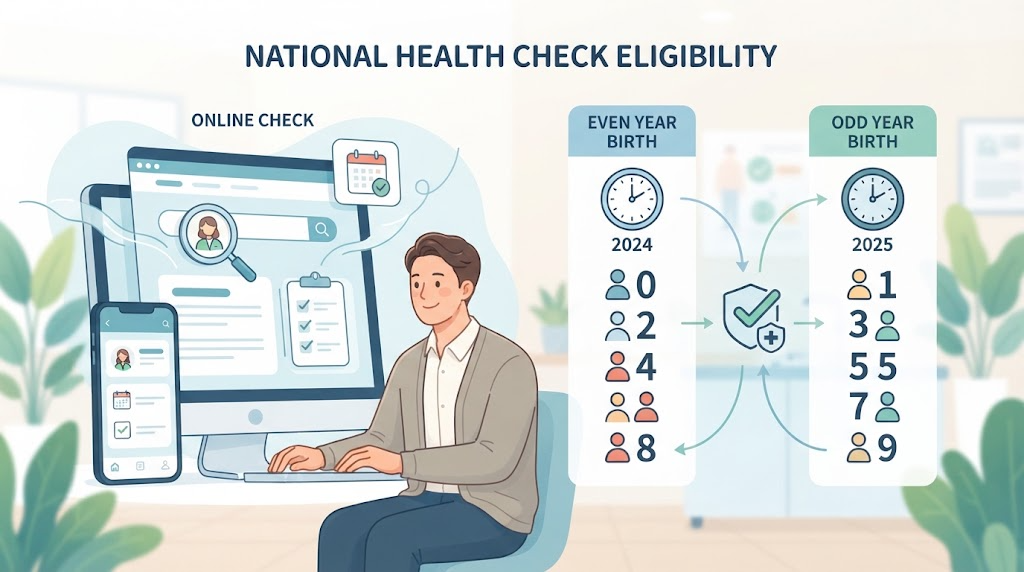
One of the practical elements that must be checked during the national health screening target inquiry process is the ‘method for issuing health screening target confirmation certificates’ and the ‘tips for checking odd and even birth years’, which form the basis of the Republic of Korea’s national health screening. Fully understanding these two elements can reduce unnecessary confusion and perfectly look after your screening rights.
First, here is a tip for checking odd and even birth years. The national health screening operates an ‘odd-even system’ that classifies target recipients based on the last digit of their birth year in consideration of public convenience and equity. In even years (e.g., 2026), people with an even last digit in their birth year (e.g., born in 1980, born in 1986, etc.) become targets for general health screenings and cancer screenings, while those born in odd years are targets in odd years. However, in the case of workplace health screenings, there are exception rules such as office workers being included every year or non-office workers being conducted every year, so rather than simply trusting odd and even numbers, directly querying your exact individual eligibility through the official website is the most certain way.
Second, here are instructions on how to issue and utilize the ‘Health Screening Target Confirmation Certificate’. In the past, screening forms were sent by mail, but nowadays, they are often checked in electronic form via mobile or the internet. If you need documents for submission to your workplace or for personal verification, you can download the ‘Health Screening Target Confirmation Certificate’ as a PDF file or print it out directly at any time through the ‘Civil Petitions Here’ menu on the National Health Insurance website or ‘The Health Insurance’ app.
This confirmation certificate details specific screening items you can receive this year (oral examinations, specific cancer screenings, etc.) and whether your copayment is waived. Presenting this confirmation certificate or your smartphone screen when visiting the hospital makes the administrative procedure much faster, so we recommend issuing the target confirmation certificate in advance and carefully reviewing it before booking your screening.
Essential Precautions Before Booking and Undergoing Screening at Designated Hospitals and Clinics After Target Inquiry
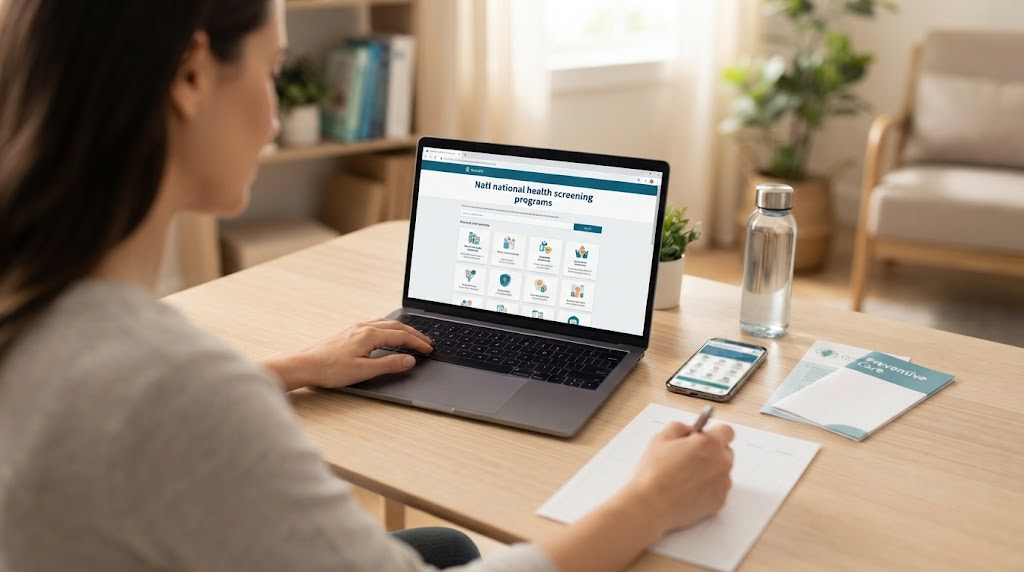
If you have successfully checked that you are a target for this year’s national health screening through the official website or mobile app of the National Health Insurance, it is now the stage to carefully attend to designated hospital and clinic reservations and essential precautions before screening for a safe and systematic examination. We have summarized the specific reservation procedures to go through after target confirmation and the checkpoints you must fully understand.
First, you need to search for designated hospitals or clinics close to your home or office by utilizing the ‘Find Health Screening Institution’ menu within the National Health Insurance Service website or ‘The Health Insurance’ app. National health screenings cannot be taken at just any medical institution, but only at official screening institutions designated by the Service, so before visiting, you must make sure that the hospital is a designated institution capable of handling all the screening items you want (e.g., gastric endoscopy, colonoscopy, breast cancer screening, etc.).
Second, it is recommended to make hospital reservations leisurely at the beginning of the year, in the first half, or during the off-season if possible. Especially in the second half of the year or late year from November to December, crowds of examinees nearing the screening deadline flock in, making it extremely difficult to book endoscopy reservations on the desired date or time, and mishaps where you fail to receive a screening due to early deadlines can occur. Therefore, as soon as target lookup is completed, it is wise to contact the hospital with schedule leisure and finalize your reservation.
Lastly, you must thoroughly comply with essential precautions before screening. Starting from 9:00 PM the evening before the screening, you must maintain a fasting state that strictly prohibits the intake of all food and drink including water, and if you have regular medications you take, you should consult with a doctor to coordinate in advance whether to take them on the morning of the screening. When thorough target verification, prompt hospital reservation, and adherence to correct fasting rules are combined like this, you can complete the most perfect national health screening to protect your health in the 100-year-old era.
Korean version: 한국어로 읽기