Complete Summary of National Tomorrow Learning Card Issuance Exclusion Criteria (Public Officials, Large Enterprises, Income Standards)
The National Tomorrow Learning Card is a nationwide vocational skills development system that broadly supports not only job seekers but also incumbent workers, freelancers, and the self-employed. However, it is not issued unconditionally to all citizens, and clear issuance exclusion criteria are established according to relevant laws and regulations (Enforcement Decree of the Workers’ Vocational Competency Development Act).
To avoid submitting an application on mobile and having it rejected or wasting time without realizing you meet the exclusion criteria, you must check your qualification status before applying.
- Exclusion Targets Based on Status and Occupation Criteria
Fundamentally, specific statuses with low need for government financial support or possessing separate dedicated education and welfare systems are excluded from support.
Current Public Officials and Private School Faculty and Staff: National public officials, local public officials, and teachers and administrative staff under the Private School Act are entirely restricted from issuance. (However, permanent contract workers or fixed-term workers may be eligible depending on certain income and working conditions)
Military Service Personnel: Active-duty military personnel and individuals serving mandatory military service are excluded in principle. (However, prospective discharged soldiers whose discharge dates are approaching can apply exceptionally through unit commanders’ recommendation letters, etc.)
Seniors Aged 75 or Older: Individuals aged 75 or older are excluded from support.
Enrolled Students (Undergraduate and Graduate Students):
Undergraduate and graduate students with more than 2 years remaining until graduation are not eligible for issuance in principle.
(Exception Allowance Standard): Starting from 3rd-year students at 4-year universities (students with 2 years or less of remaining study terms until graduation), issuance is permitted for early employment preparation. Junior college students can apply after completing the 2nd semester of their 1st year, and students taking leaves of absence can apply depending on remaining semesters.
- Exclusion Targets Based on Income and Business Revenue Criteria
Even if you are an incumbent worker or private business owner, you are excluded from government support if you record high income or high revenue above a certain threshold.
High-Income Workers at Large Enterprises (Large-Scale Enterprises):
When employed at large enterprises with 300 or more regular employees or statutory large-scale enterprises:
Workers under 45 years of age with a monthly wage of 3,000,000 won or more are excluded from issuance.
(Conversely, large enterprise workers aged 45 or older or with monthly wages under 3,000,000 won are eligible for issuance)
High-Income Persons in Special Types of Employment and Freelancers:
Issuance is restricted if the average monthly income over the recent 3 months is 5,000,000 won or more.
High-Revenue Private Business Owners (Self-Employed):
Self-employed individuals holding business registration certificates are excluded from support if their annual revenue over the recent 1 year is 150,000,000 won or more.
For real estate rental business operators, rental income standards generated from real estate rental business apply separately, so National Tax Service proof documents must be verified.
- Other Exclusion Targets Related to Government Support and Sanctions
Individuals with Conditional Exemption among Livelihood Benefit Recipients: Certain categories among livelihood benefit recipients under the National Basic Living Security Act whose working capability is absent or who are exempt from employment duties may be restricted.
Administrative Sanction Subjects Due to Unlawful Receipt, etc.: Those caught engaging in unlawful acts such as proxy attendance or fraudulent course enrollment during past government-funded training, whose subsidy recovery or card issuance restriction disposition periods have not expired, cannot apply.
Checkpoint:
Large enterprise workers (under 45 years of age, 3,000,000 won or more monthly), business owners (annual revenue of 150,000,000 won or more), public officials, and university students with over 2 years left until graduation are disqualified immediately during automatic computerized screening or document review upon application. You should check in advance through National Tax Service income amount certificates or health insurance payment records whether you fall into the exclusion bracket before starting the mobile application.

Essential Preparations Before Mobile Application (Joint/Financial Certificate, Simple Authentication, Account Number)
The most cumbersome moment when applying for the National Tomorrow Learning Card by smartphone is encountering an authentication error while filling out the application form or having to leave the screen because payment account information is missing. Because exiting the page in a mobile environment can reset the form you were entering, you must completely set up essential preparations on your smartphone in advance to complete the application seamlessly within 5 minutes.
Here is a summary of the 3 key preparations you must have in place before tapping the apply button.
- Authentication Methods for Identity Verification (Simple Authentication vs. Financial/Joint Certificate)
This is essential for signing up for membership, real-name authentication, and electronic form signing on the Employment24 mobile web or app. Unlike in the past, most procedures are completed solely through authentication on the smartphone itself without complex PC connection.
Private Simple Authentication (Most Recommended):
KakaoTalk, Naver, Toss, PASS, Shinhan Sign, KB Kookmin Certificate, etc.
If the corresponding app is installed on your smartphone and the phone is registered under your own name, you can verify your identity and sign electronically instantly using just fingerprints or a simple password, making it the fastest and easiest method.
Financial Certificates and Joint Certificates:
Financial certificates issued via banking apps (cloud storage method) or joint certificates (former accredited certificates) stored on smartphones can also be used.
However, because electronic signing with a financial certificate may be required when verifying data linked to some financial institutions or submitting proof documents for special occupations, issuing it in advance on your primary bank’s app is a safe step.
- Connected Account Number for Card Issuance (Shinhan Bank vs. NH Nonghyup Bank)
The National Tomorrow Learning Card is not just a course registration voucher, but is issued in the form of an actual debit card or credit card linked to financial institutions for payments. Therefore, a bank account number under your own name is indispensable.
Available card issuers: Choose 1 between Shinhan Card or NH Nonghyup Card
Account linkage criteria:
When choosing Shinhan Card: Linked primarily to a Shinhan Bank account, but connecting accounts from other banks such as KB Kookmin, Woori, and Hana is also possible. (However, a Shinhan Bank account is recommended for new issuances)
When choosing NH Nonghyup Card: An account number under your own name at local agricultural/livestock cooperatives (Unit Nonghyup) or Nonghyup Bank (National Agricultural Cooperative Federation) must be prepared as a requirement.
Points to note:
Accounts under family members’ names, seizure-prevention accounts, or dormant accounts cannot be registered.
When issued as a debit card, it is directly linked to paying future copayments or receiving deposits for training allowances, so prepare an active account you frequently use.
- Mobile Proof Document Files (Applicable Individuals Only)
General job seekers pass simply by entering personal information without separate attachments, but occupational groups that require verification of income or status must save photos (or PDF files) of proof documents in their smartphone gallery in advance.
University students (such as 3rd-year students): Certificate of enrollment or academic transcript specifying completion of 4 or more semesters
Large enterprise workers (aged 45 or older or with monthly wage under 3,000,000 won): Pay stubs for the last 3 months or withholding receipts for earned income tax
Private business owners (self-employed): Business registration certificate and tax base certificate for value-added tax over the recent 1 year
Persons in special types of employment / Freelancers: Income amount certificate or consignment/service contract for the recent 3 months
Checkpoint:
If you have verified the login status of your simple authentication app (Kakao, Toss, etc.) on your smartphone, jotted down your Shinhan or Nonghyup account number under your name, and stored captured copies of proof documents if applicable, all prior preparations for mobile application are complete.
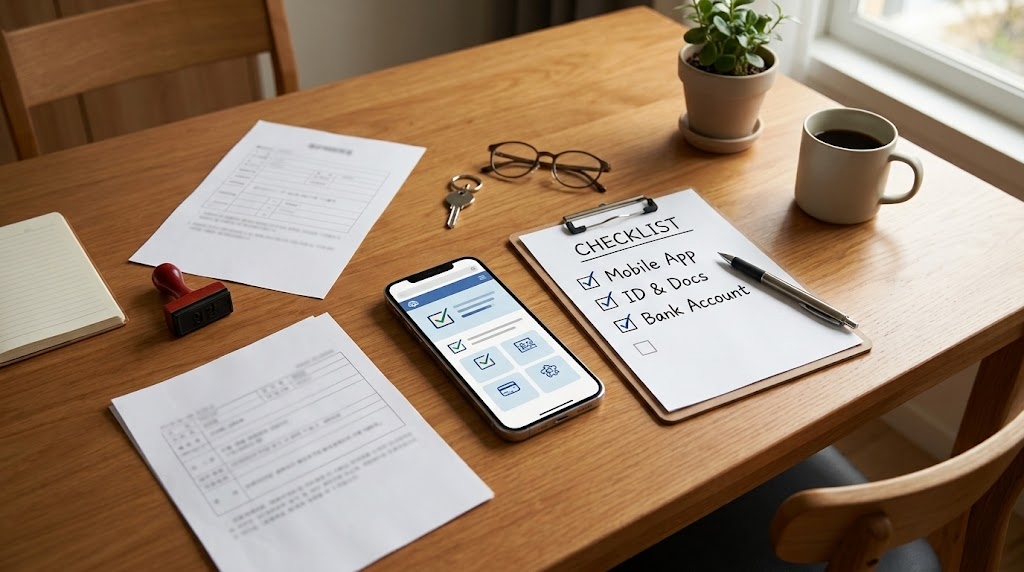
Step-by-Step Government-Funded Training Application via Employment24 Mobile App in 5 Minutes
Using the ‘Employment24’ mobile app, which integrates the existing HRD-Net, Worknet, and employment insurance networks, you can easily receive the National Tomorrow Learning Card with just a few smartphone taps without filling out complicated paperwork or visiting a job center.
To avoid retracing your steps due to input errors during application, here is the 5-step core pathway you can follow from start to finish.
Step 1: Install Employment24 App and Log in via Simple Authentication
- Search for and download the ‘Employment24’ app from your smartphone app store (Google Play Store / Apple App Store).
- After launching the app, tap the login menu at the top right.
- Select the private simple authentication you mainly use, such as KakaoTalk, Toss, PASS, or Naver, and complete identity verification in 10 seconds using fingerprint or simple password.
Step 2: Navigate to Issuance Menu and Watch Video (Mandatory)
- Type ‘National Tomorrow Learning Card Issuance Application’ into the search bar on the main screen, or go to Full Menu (≡) ➔ ‘Vocational Skills Development’ ➔ ‘National Tomorrow Learning Card’ ➔ ‘Issuance Application’.
- Watch the ‘National Tomorrow Learning Card Information Video (approximately 2–3 minutes long)’ guided prior to issuance.
You must watch the video to the end without closing it midway for the next step button to be activated.
A simple quiz appears after watching the video, but since it covers basic common knowledge, check it off lightly and move forward.
Step 3: Enter Basic Personal Information and Select Support Target Type
- Verify and enter your name, resident registration number, actual residence address, contact information (mobile phone number), and email.
- Accurately check your current status under the ‘Select Support Target’ item.
Job Seeker (Unemployed): Employment preparation applicants, resigned workers, full-time homemakers, etc.
Worker (Employed): Workers at priority support enterprises (small and medium enterprises) or large-scale enterprises enrolled in employment insurance
Self-employed / Persons in Special Types of Employment / College Students (Enrolled Students): When selecting these types, a proof document upload window is generated in the next step.
Step 4: Specify Physical Card Information and Receipt Method
- Select Card Issuer: Choose 1 between Shinhan Card or NH Nonghyup Card.
- Select Card Type: Choose between debit card or credit card. (Credit cards may be rejected based on the credit card company’s internal issuance screening standards, so debit cards are the safest and fastest.)
- Register Account Number: Enter a payment account number under your own name and complete account validity verification.
- Select Card Receipt Method:
Mail (Home/Workplace): Delivered via registered mail following identity verification after application (Takes 3–5 business days)
Bank Branch Visit Receipt: Visit the designated Shinhan/Nonghyup branch directly after receiving the card approval text message for immediate same-day pickup (Fastest receipt method)
Step 5: Check Competent Job Center and Submit Final Electronic Signature
- Verify the competent job center automatically designated based on the resident registration address.
- After final review of the entered application details, tap the ‘Apply’ button.
- Once electronic signature is completed via simple authentication or joint/financial certificate, application submission is finalized.
Checkpoint:
Immediately after completing the application, verify whether a KakaoTalk notification talk or text message stating “Your National Tomorrow Learning Card issuance application has been successfully received” has arrived. You can check the real-time screening status at any time under ‘My Employment’ ➔ ‘Civil Petition Application Status’ in the Employment24 app.

Tips for Confusing Document Submission Items and Uploading Proof Materials During Application
The biggest reason reviews are placed on hold or rejected when applying for the National Tomorrow Learning Card via mobile is ‘omission of proof documents’ or ‘registering files in incorrect formats.’
General job seekers do not need separate documents thanks to computerized data linkage (employment insurance history, etc.), but employed individuals, the self-employed, college students, and special freelance workers must directly upload documents proving their status and income. Here is a summary of items easily confused when submitting documents in a mobile environment and tips to increase approval rates.
- Mandatory Proof Documents and Issuing Authorities by Target
Official documents within their validity period must be prepared according to the support type you selected.
Undergraduate and Graduate Students (Prospective Graduates):
Required Documents: Certificate of prospective graduation, certificate of completion, or certificate of enrollment (Indication of academic year/completed semesters mandatory)
Key Criteria: Since remaining study duration within 2 years must be proven, attaching an ‘academic transcript’ showing credits earned through the immediate prior semester makes the screening much easier.
Large Enterprise (Large-Scale Enterprise) Employees:
Required Documents: Pay stubs (wage ledger) for the recent 3 months or withholding receipts for earned income tax
Key Criteria: If under age 45, documents stamped with company seal proving average monthly wages under 3,000,000 won for the recent 3 months are required.
Private Business Owners (Self-employed):
Required Documents: Business registration certificate + tax base certificate for value-added tax for the recent 1 year (Issued via Hometax)
Key Criteria: Simplified taxable individuals may substitute this with a revenue amount certificate for VAT-exempt businesses, and must clearly show annual sales under 150,000,000 won.
Persons in Special Types of Employment and Freelancers:
Required Documents: Income amount certificate, consignment/subcontract agreement, or confirmation of labor provision
Key Criteria: Submit bank deposit statements (or withholding receipts) proving average monthly income under 5,000,000 won for the recent 3 months.
- Tips to Prevent Frequently Occurring Errors During Mobile File Uploads
Cases of receiving supplementation requests due to “unreadable text” after carelessly snapping photos of documents with a smartphone camera are frequent.
Utilize Camera Scan Function:
Rather than standard photo shooting, use the ‘document scan’ mode on your smartphone’s default camera or a scanning app to shoot flatly without glare.
All four corners of the document must remain uncut, and issuance date, issuing authority seal, and applicant resident registration number (or date of birth) must be clearly visible.
Check Allowed File Extensions and File Size:
The Employment24 mobile app typically accepts only JPG, PNG, and PDF file formats for upload.
Because there is a file size limit per document (usually within 5MB–10MB), excessively high-resolution photos should be compressed before registration to prevent upload crashes.
Masking Status of the Back Digits of Resident Registration Number:
In accordance with personal data protection regulations, some documents may require submitting with the back digits of the resident registration number masked (asterisked) or concealed. Using electronic documents printed from the issuing source with the ‘hide back digits of resident number’ option selected is safe.
- Action Tips When Receiving a Document Supplementation Request (Rejection)
If you receive a “Document Supplementation Request” notification talk or text message within 1 to 2 days after applying, there is no need to panic. It does not mean complete disqualification, but rather that additional verification is required.
- Check reason: In the Employment24 mobile app ➔ ‘My Employment’ ➔ ‘Civil Petition Application Status’, check the supplementation request note left by the screening officer at the competent job center.
- Phone consultation with the person in charge recommended: If the text content alone makes it ambiguous what part of which document is lacking, call the direct number of the informed competent job center to confirm the exact name of the required form.
- Complete re-registration: When you re-upload the requested document on the supplementation page, the review resumes immediately following your existing application turn.
Checkpoint:
Simply saving PDF documents issued via Government24 or Hometax in your smartphone file folder in advance can cut mobile registration time in half. Make sure to check that the ‘issuance date’ within the document is typically within the recent 1 to 3 months before attaching.

Card Issuance Approval Period and Physical Card (Shinhan/NH Nonghyup) Receipt Checklist
Completing the issuance application in the mobile Employment24 app does not mean you can immediately pay for training courses. All preparations are finally complete only after undergoing the two-step procedure of ‘job center qualification screening and approval’ and ‘card company physical card issuance and delivery.’
To ensure you can make payments without disruption in line with the class opening schedule of your desired vocational course, here is a summary of the required period and the receipt checklist by card company.
- Required Time by Issuance Stage (Total 5 to 10 Business Days Required)
The entire process is divided into job center screening and card company issuance, taking approximately 1 to 2 weeks on average.
Stage 1: Competent Job Center Screening and Approval (2 to 4 business days)
This is the stage of verifying submitted personal details and computerized records (or attached proof documents).
If there is no document supplementation request, a KakaoTalk notification talk or text message stating “National Tomorrow Learning Card issuance has been approved” is usually sent within 2 to 4 days after application.
Stage 2: Data Transfer to Card Company and Card Manufacturing (1 to 2 business days)
After job center approval information is transferred to the computer system of the chosen card company (Shinhan Card or NH Nonghyup Card), the card is manufactured.
Stage 3: Physical Card Delivery and Receipt (3 to 5 business days)
If ‘mail (registered)’ was selected as the delivery method, it is delivered to home or workplace via professional delivery personnel.
- How to Receive Faster: ‘Mail Delivery’ vs ‘Bank Branch Visit Receipt’
If little time remains before the course registration deadline, you should choose your receipt method strategically.
Regular Mail (Registered) Delivery:
It is the most common method, but because you must receive it in person, receipt may be delayed if you are absent. (Takes about 7 to 10 days from application to receipt)
Bank Branch Visit Receipt (Recommended):
Right after receiving the ‘Issuance Approved’ text message from the job center, you can issue a ‘Card Issuance Confirmation’ on the Employment24 website and visit the designated bank branch to receive the physical card immediately on the same day.
This is the most recommended method for those who need immediate copayment settlement with only a few days left before the course starts.
- Checklist Before Receipt: Shinhan Card vs NH Nonghyup Card
Because there are differences in receipt procedures and account linking methods depending on the issued card company, check the details below.
When Selecting Shinhan Card:
Registration after receipt: If you received the registered mail yourself, it is automatically registered within 1 to 2 hours and can be used right away. If a family member received it on your behalf or you proceeded with branch visit issuance, payment is possible only after completing ‘card activation’ via the Shinhan Card app/ARS.
Linked account: Because connecting other bank accounts (KB Kookmin, Woori, Hana, etc.) in addition to Shinhan Bank accounts is possible, check whether the payment balance is in that account.
When Selecting NH Nonghyup Card:
Precautions when visiting branch: If visit receipt was selected, accurately check the distinction between National Agricultural Cooperative Federation (NH Nonghyup Bank) branches and unit cooperatives (local agricultural/livestock cooperatives). You can pick it up only at the specific branch designated in your application.
Linked account: Because only Nonghyup accounts (central federation or unit cooperatives) are linked as payment accounts, make sure to check your balance management account in advance.
- 3 Things You Must Check Right After Receiving the Physical Card
Once you have the card in hand, do not simply store it away; execute the following 3 things immediately to prevent payment errors during course registration.
- Verify card validity: Right after receipt, test a small payment at a convenience store or register it in the card company app to check that normal payments are possible.
- Check HRD-Net/Employment24 computerized linkage: Card information is usually linked automatically to the HRD-Net system by the morning of the day following physical receipt. After logging in, verify that the card number and expiration date appear normally under ‘My Card Information.’
- Verify copayment settlement account balance: For government-funded courses where out-of-pocket copayments occur, funds are withdrawn immediately from the bank account connected to the Tomorrow Learning Card, so you must deposit the payment amount in advance.
Checkpoint:
Popular training courses often close registration early due to filled quotas. Before scheduling start dates through academy consultations, you should complete the card issuance application via mobile at least 2 weeks prior to course opening to prevent course cancellation caused by delayed physical card delivery.

How to Complete First Course Registration via HRD-Net Mobile After Issuance
Once you have received your physical National Tomorrow Learning Card and completed computerized registration, it is time to search for desired training courses and proceed with registration in earnest.
Depending on the course’s total training hours, it is divided into ‘courses completed immediately with a few smartphone taps’ and ‘courses requiring mandatory diagnosis and counseling procedures at the job center,’ so you must accurately understand the mobile application route to secure your spot safely before registration closes.
- First Step: Distinguish Application Method by Total Training Hours of the Course
When searching for courses on HRD-Net (or Employment24), the primary core criterion to check first is ‘total training hours of 140 hours.’
Short-Term Training Courses Under 140 Hours (Simple Online Application):
Weekend single-subject classes, basic OA, short-term certifications, remote internet lectures, etc.
Without separate job center counseling procedures, you can tap the ‘Apply for Course’ button on the HRD-Net mobile screen and proceed directly through copayment settlement.
Long-Term Training Courses of 140 Hours or More (Linked to Job Center Diagnosis and Counseling):
Long-term comprehensive job prep courses, K-Digital Training (KDT), National Strategic Industry Training (Gukgi), etc.
The payment window does not open immediately on HRD-Net; you must first complete ‘Training Diagnosis and Counseling (filling out online questionnaire)’ on mobile.
Final course enrollment is completed only after counseling procedures are approved by the job center screener or system. (Usually takes 1–2 weeks, making early registration before the course start date essential)
- 4-Step Procedure for First Course Registration on Mobile HRD-Net
Proceed in the following order via smartphone browser or vocational training portal mobile web/app.
- Log in and Explore Courses:
Log in with simple authentication on the HRD-Net mobile main screen.
Enter desired job keywords (e.g., ‘Web Publisher’, ‘Computer Specialist’, ‘Baking and Pastry’) or academy names in the top search bar, and filter by regional areas near your residence to search.
- Recheck Out-of-Pocket Copayment and Enrollment Conditions:
After entering the detailed page of the desired course, tap ‘View Out-of-Pocket Copayment’ to check the actual payment amount tailored to your support type (general job seeker, earned income tax credit recipient, employment success package, etc.).
Thoroughly check training schedule (days/times), start date, and attendance method (offline in-person vs. online remote).
- Click ‘Apply for Course’ Button and Complete Basic Survey:
Tap ‘Apply for Course’ at the bottom of the screen.
Enter answers to basic survey questions, including training participation purpose, prior knowledge level, and desired employment timeline.
- Check Academy Selection Process Guidelines and Pay Copayment:
For courses with their own interviews or screening processes (such as KDT), wait for phone calls and selection guidance from the academy administrative team after applying.
For regular short-term courses, once you receive the application approval notification message, paying the out-of-pocket copayment with your issued National Tomorrow Learning Card (Shinhan/Nonghyup) finalizes your confirmed enrollment status.
- 3 Key Points to Watch Out for During Mobile Course Registration
Concurrently Conducting ‘Preliminary Consultation’ with the Academy Recommended:
Even if you tapped the apply button on the HRD-Net network, popular classes may have already reached their capacity early through on-site visit reservations. Contacting the training institution (academy) by phone immediately after mobile application to check whether your registration details have been confirmed is the most reliable approach.
Check the Deadline for Withdrawing from the Course:
Before the course begins, you can freely ‘cancel application’ on mobile, but if you take unauthorized absences or cancel after the opening date, penalties such as tomorrow learning card limit deduction and increased out-of-pocket expenses occur, so careful schedule management is necessary.
Re-verify the Training Allowance Account:
If you plan to take a long-term course of 140 hours or more and receive monthly training allowances, verify whether your registered receipt account on the course registration screen is capable of receiving normal deposits.
Checkpoint:
The National Tomorrow Learning Card is a convenient system allowing the entire process—from mobile application to physical card pickup and initial course registration—to be completed using just a smartphone in your hand. Carefully inspect the start date and total completion hours (based on the 140-hour threshold) of the lecture you wish to attend, and register early to enjoy 100% of the desired training benefits.
Korean version: 한국어로 읽기