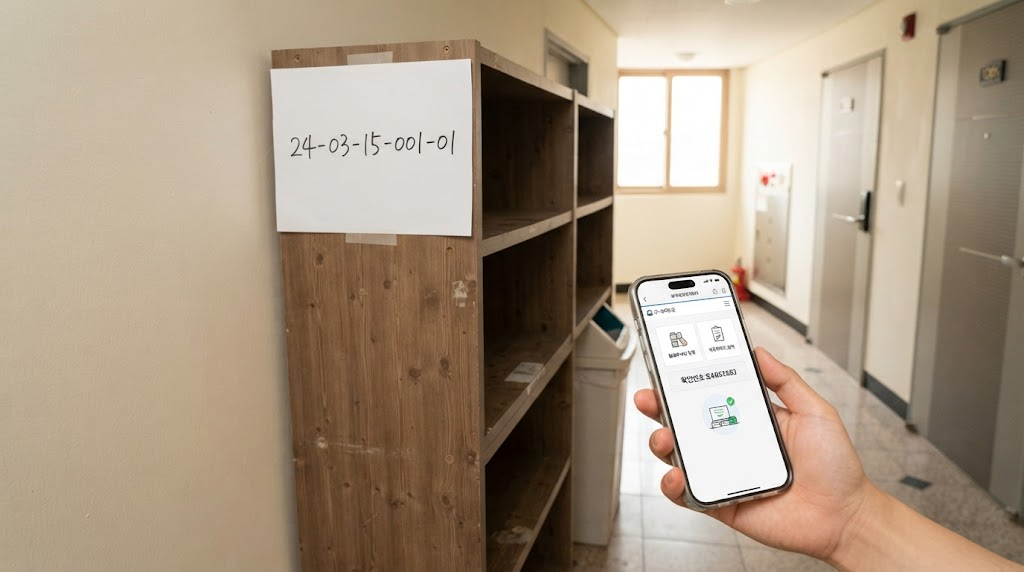
Introduction: Do You Still Go to the Community Center When Disposing of Large Waste?
When organizing your home, the time eventually comes when you need to dispose of large furniture or home appliances that you no longer use. In the past, it was natural to visit the community center or local office in person to buy a sticker, bring it back, and attach it to the waste before putting it out.
However, for office workers or business owners busy on weekdays, visiting a community center is a major hassle. It is difficult to visit according to business hours, and measuring heavy furniture specs yourself while talking to a counter staff member is also a task.
Now, you don’t need to leg it around or search everywhere for a printer. By accessing the district office website via PC or smartphone and going through just a few clicks, you can easily apply for large waste disposal from home. In particular, it has become much more convenient with the introduction of a method where you just need to write down the number on a piece of paper and attach it, even if you don’t have a printer.
In this article, we will clearly organize the practical method to complete everything from reporting large waste to payment and disposal all at once through the district office website without printing paper stickers.
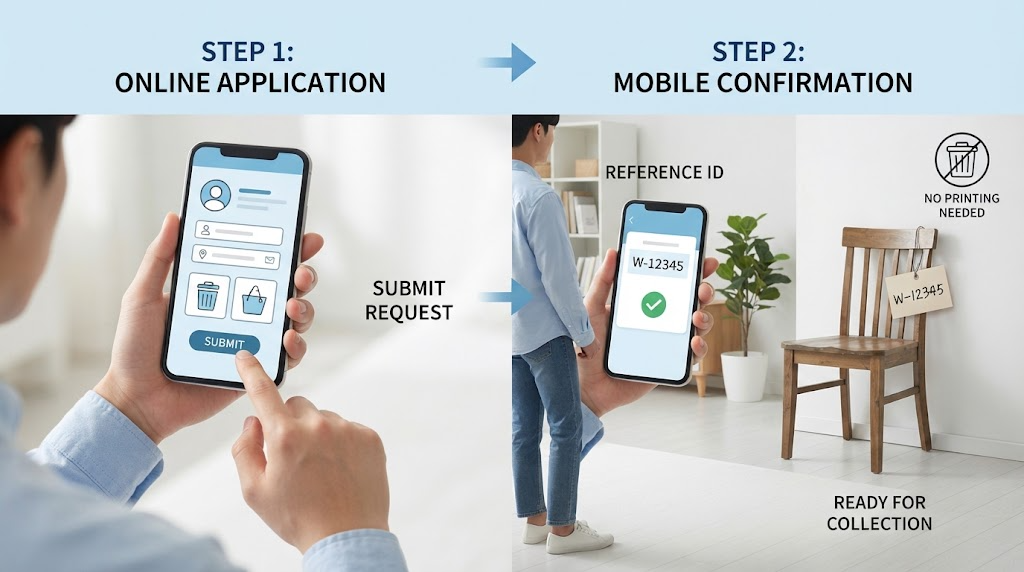
How to Easily Apply for Large Waste on the District Office Website (PC & Mobile)
To report large waste comfortably from home without visiting the community center in person, you must first use the official website of the district office in your residential area. You can access it using whichever device is more convenient between PC and smartphone, and the procedure is also very simple.
We outline the specific steps to easily apply for large waste on the district office website.
- Accessing the Residence District Office Website and Finding the Integrated Civil Petition Menu
Accessing the Official Website: Search for [Residential Area Name] + District Office (e.g., Mapo-gu Office, Haeundae-gu Office, etc.) on a portal site to access the official website. Even if you use the smartphone mobile web, the screen layout links almost identically to the PC version.
Entering the Civil Petition Menu: Select the [Information by Field], [Civil Petition Portal], or [Integrated Civil Petition] menu located at the top or bottom of the main screen.
Selecting the Large Waste Menu: Navigate to the [Large Waste], [Large Waste Disposal Report], or [Environment/Cleaning] category among the civil petition items. Depending on the district office, there are also many cases where a separate banner is provided under the name ‘Household Waste Simple Application’.
- Proceeding with Member Registration or Non-Member Simple Authentication
Identity Verification Procedure: An identity verification process is required for paying waste fees and checking the disposer’s information.
Selecting the Login Method: If it is a district office you use frequently, signing up for membership is convenient, but since most district office websites support [Non-Member Login] or [Simple Authentication (Mobile Phone Identity Verification, Financial Certificate, Simple Payment Authentication, etc.)] functions, you can apply quickly without signing up.
Entering Basic Information: Enter the disposer’s name, contact information, and the exact address (disposal location) where the actual waste will be discarded. Since the address must be accurate so that the responsible collection company can visit correctly without omission, you must carefully check and enter even the detailed address.
💡 Useful Tips for Mobile Application
Nowadays, most local government websites are built as responsive web designs, allowing you to easily select items while taking on-site photos with your smartphone camera. If you do not have a PC or are out, try proceeding with the above steps as they are through your smartphone browser.
In the next step, we will take a detailed look at the practical process of accurately selecting home appliance or furniture items to be discarded and paying the fees.
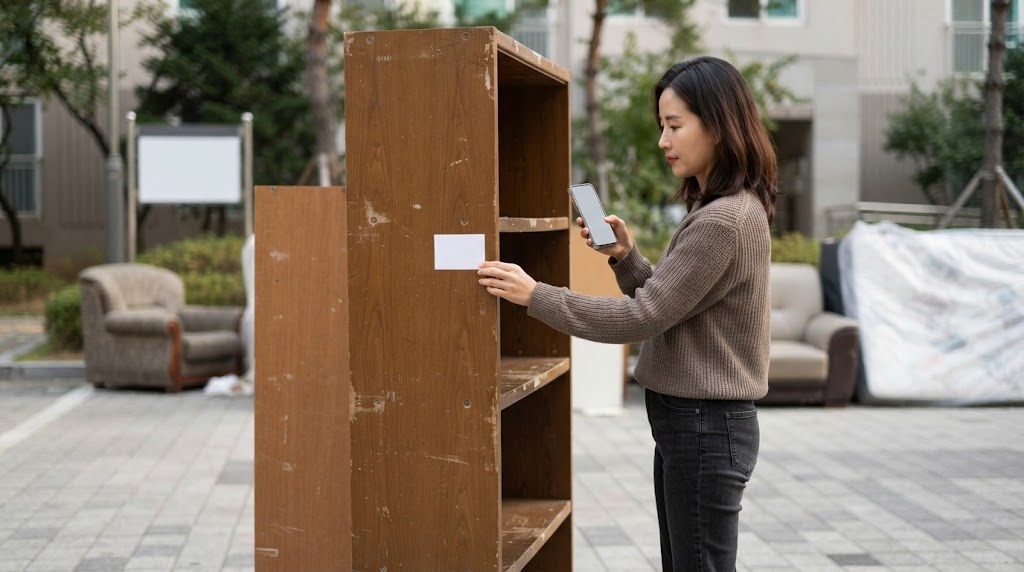
Practical Guide from Disposal Item Selection to Payment
Once you have accessed the large waste civil petition page of the district office website and completed identity verification and basic address entry, it is now time to register the items you will actually discard and pay the fees. Since selecting the wrong item can lead to collection refusal or additional charges, you must proceed carefully according to the steps below.
- Accurately Selecting Home Appliance and Furniture Items to Discard
Item Search and Category Navigation: Pressing the [Disposal Application] or [Item Selection] button within the application page classifies various furniture categories such as beds, wardrobes, sofas, desks, and mattresses, as well as home appliance categories such as TVs, refrigerators, and washing machines. Entering the item name directly into the search bar (e.g., “desk”, “3-person sofa”) to find it is the fastest way.
Checking Specifications and Sizes: Even for the same furniture, fees are calculated differently depending on specifications (1-person/2-person, single/queen, small/large, etc.). For example, for mattresses or wardrobes, you must roughly measure the width and height specifications and accurately select the corresponding item.
Checking Quantities: If you have multiple items to discard, add each item as if putting them into a shopping cart.
- Designating the Preferred Disposal Date and Collection Location
Selecting the Disposal Date: Choose the scheduled disposal date according to the designated collection schedule and days of the week. Since collection days are usually set by each local government, you must choose a date when you can put them out in front of your home or at the designated collection location.
Detailed Description of the Collection Location: Write down the detailed disposal location in text so that the collection driver can recognize it at a glance, such as “corner of the 1st floor villa parking lot” or “right side of the front gate in front of the building”. It is good to check whether the location does not obstruct the passage of others.
- Proceeding with Online Fee Payment
Finalizing Details Check: Finally check whether the selected item list and the total payment amount (total fee) match.
Selecting and Completing Payment Methods: Many district offices support simple payments such as KakaoPay and NaverPay, as well as credit cards, check cards, and real-time account transfers. Once you select a convenient method and complete the payment, a unique [Payment Certificate Number (Application Number)] is issued along with the [Reception Complete] screen.
💡 Quick Check Before Payment!
After completing the payment, it can be cumbersome to arbitrarily change or cancel items. Before pressing the payment button, double-check one last time whether the quantity and specifications of the items you want to discard exactly match reality.
In the next step, we will learn key tips and how to write the payment certificate number so you can dispose of large waste without worry even if you don’t have a printer.
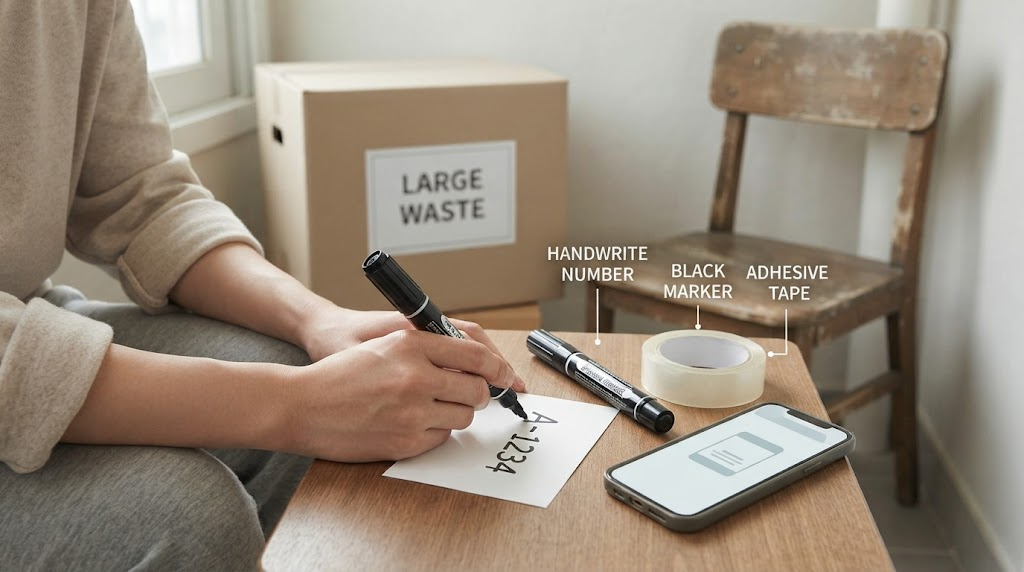
Core Point: How to Dispose Without Printed Matter (Stickers) & Payment Certificate Number Writing Tips
If you have safely completed the internet report for large waste and finished the payment, the most important final hurdle remains. In the past, you had to print paper stickers with a printer and attach them to items, but surprisingly many homes or offices do not have printers.
You don’t need to worry at all even if you don’t have a printer. We outline core tips for cleaning and safely disposing of large waste without printed matter, along with tips on how to write the payment certificate number.
- How Do I Attach a Sticker If I Don’t Have a Printer? (Handwritten Method)
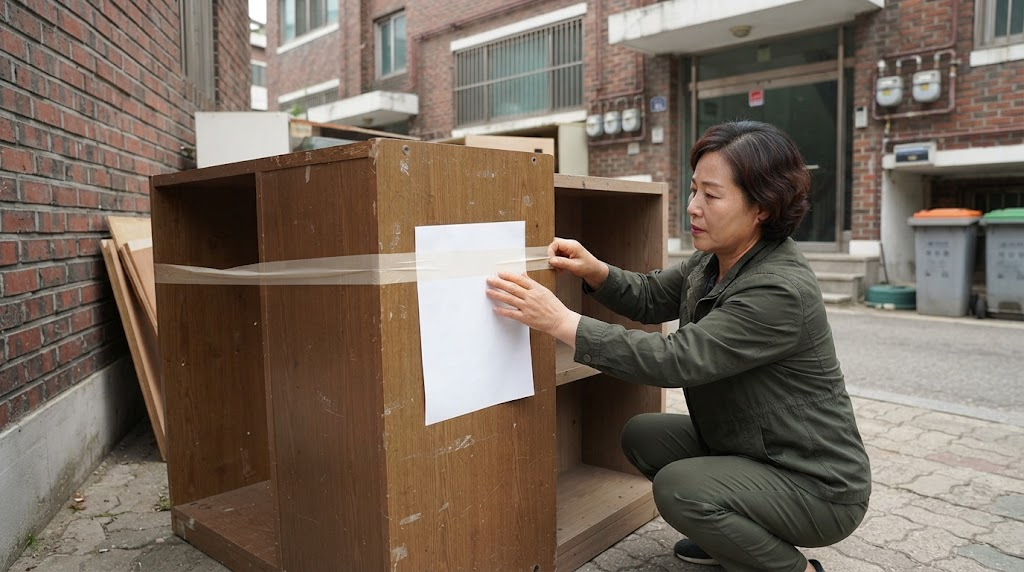
Preparing Paper and Marker: Prepare an A4 sheet, scrap paper, or unused blank paper, along with a thick permanent marker (or fine-tip pen, ballpoint pen) with clearly visible writing.
Handwriting the Payment Certificate Number: Once payment is completed on the district office website, write the [Payment Certificate Number] that appears on the screen large and clearly on the paper. You can also capture your smartphone screen or check the number written in the payment completion text message.
Required Information to Write: Rather than just writing the number, it is safer to write the following information together so that the collection driver can recognize it at a glance.
Reception Number (Payment Certificate Number)
Disposal Item Name (e.g., desk, 3-tier drawer unit)
Payment Amount
- Tips for Attaching the Prepared Paper to Waste
Securing Firmly with Tape: Since large waste is often disposed of outdoors, paper can be torn or blown away by sudden rain or wind. It is best to wrap the paper tightly overall with clear tape like waterproofing and attach it firmly.
Attaching in a Highly Visible Spot: Please attach it in a highly visible location, such as the front or top surface of the furniture, so that the collection driver can see it from a distance while driving a truck. If you attach it in a hidden corner, it may be mistaken for unverified waste, delaying collection by a day or two.
- Precautions to Follow When Disposing
Compliance with Disposal Time and Location: You must place it out at the designated location on the evening of the day before the disposal date designated when reporting on the district office website or at dawn on the day of collection (usually before morning collection starts). Placing it out beforehand during the day in a location blocking roads or walkways can cause pedestrian inconvenience or civil complaints.
Prevention of Illegal Dumping: If you dispose of items without attaching paper with the sticker number or in an unreported state, fines may be imposed according to relevant laws, so you must always attach the designated number after completing payment and then dispose of them.
💡 Wait! If It Is a Home Appliance, Also Check the Free Visit Collection Service
If the item you want to discard is a waste home appliance such as a TV, refrigerator, washing machine, or air conditioner, it is much more advantageous to use the ‘Waste Home Appliance Free Visit Collection Service (www.waste.go.kr)’ rather than paying a fee to the district office and issuing a sticker. In the case of large home appliances, since the driver visits directly inside your home and collects them for free, you can save both costs and labor. (However, for small home appliances, since they often require gathering 5 or more items when disposed of alone, please check the items first.)
In the next and final sequence, we will cleanly summarize this content and deliver closing remarks for successful large waste disposal.
Conclusion: Smart Bulky Waste Disposal Summary That Saves Time and Footwork
When you need to dispose of unused furniture or home appliances, there is no longer any need to make a heavy-footed visit to the community service center or wander around looking to print something out. The contactless bulky waste disposal reporting system via the district office website that we explored today makes our daily lives that much smarter and more convenient.
To ensure a successful and tidy disposal of bulky waste, here is a summary of the key points once again.
Effortless contactless application: Easily submit civil requests by accessing the district office website of your residence via PC or smartphone.
Handwritten notes without printer worries: Even if you do not have a printer, writing down the payment certificate number, item name, and fee on a blank piece of paper and affixing it securely with transparent tape works perfectly.
Observance of proper disposal hours: Place items out safely following designated disposal dates and locations, and wisely compare free on-site pickup services in the case of major home appliances.
Just by taking advantage of small changes in administrative services, you can save valuable time and physical effort. We hope you use the tips shared today to wrap up your home organizing in a lighter and more refreshing way.
We will continue to return with prime lifestyle and administrative tips that you can put to practical use in everyday life. If you have any questions, feel free to leave a comment anytime!
Korean version: 한국어로 읽기