
Introduction: Why Do Young Professional Support Fund Applications Fail Due to Minor Mistakes?
Young professional support funds (various youth support programs such as the Youth Tomorrow Savings Account and Youth Job Leap Encouragement Fund) that you finally decided to apply for after overcoming fierce competition ratios and strict conditions. When the application period approaches, you are frantically busy obtaining the necessary documents, and because you are in a rush to press the submission button, you inevitably lack the time to thoroughly review your documents.
However, even after working hard to meet the requirements, unfortunate young people are popping up every year who fail the screening or receive requests for supplementation due to a single minor mistake such as incomplete documents, misentries, missing evidentiary documents, or submitting documents whose validity period has expired. Due to the characteristics of support fund projects, a fixed budget and strict deadlines exist, so if you miss the supplementation period due to document errors, you may experience the frustration of completely losing an opportunity you worked hard to grab.
If you take it lightly thinking, “Surely I won’t fail just for submitting one wrong document?”, you are bound to pay a heavy price. Then what kind of mistakes actually occur frequently during the application process, and what points should we check to completely prevent them in advance? In this post, we will carefully walk you through the fatal mistakes you must never miss during document submission along with a practical checklist, so check it out right now!
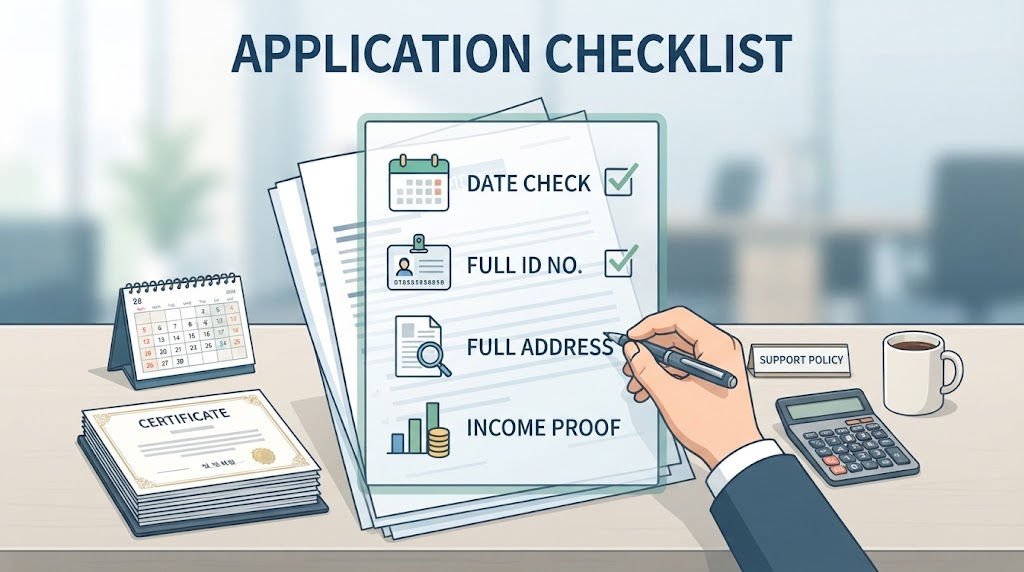
Frequent Types of Mistakes When Preparing Basic Eligibility Requirements and Evidentiary Documents
The first step in applying for the young professional support fund is accurately checking the qualification requirements and preparing complete evidentiary documents. However, there are surprisingly many cases where applicants fail by overlooking the issuance process or the validity period of documents. Shall we look at representative types of mistakes?
- Submitting Outdated Evidentiary Documents Instead of the Latest Version
For documents such as employment certificates, 4 major public insurances subscriber subscription history confirmation statements, and resident registration copies, the issuance date criterion is very important. Even though you are usually required to submit the latest version issued within the last week (or within 1 month), there are frequent cases where applicants carelessly upload older versions issued in the past and get rejected.
- Omission of Essential Options (Back Digits of Resident Registration Number, Detailed Address, etc.) When Issuing Administrative Documents
When issuing a resident registration copy or family relation certificate, people sometimes carelessly print them with default settings, resulting in the back digits of the resident registration number being masked with asterisks (*) or past address change histories being omitted. Depending on the support project, strict issuance conditions are required—such as full disclosure of the resident registration number, inclusion of all household members, or inclusion of detailed addresses—so you must thoroughly check the guidelines in the public announcement.
- Mistaking the Income Criteria Calculation Period and Types of Evidence
This is a mistake of miscalculating the annual or monthly criteria required when submitting documents such as earned income withholding receipts, income amount proof certificates, or health insurance premium payment confirmation statements. Submitting documents based on the immediately preceding month when you are required to submit criteria based on the previous year, or miscalculating the amount excluding non-taxable income, becomes a cause of being misunderstood as exceeding or failing to meet the income criteria.
To avoid delayed screening or rejection notices due to a single minor evidentiary document error, it is essential to cultivate the habit of keeping your eyes wide open and checking the ‘Detailed Conditions for Mandatory Submission Documents’ in the public announcement before issuance. Well, now that you have safely finished issuing your documents, shall we learn about the points to watch out for when inputting information during the online application process next?

Tips to Prevent Input Errors During Online Application Processes (Employment24, Bokjiro, etc.)
It is still too early to feel relieved just because you finished issuing your documents perfectly. Even during the process of directly entering information and uploading files into online application platforms such as Employment24, Bokjiro, and local government youth portals, screenings are often rejected or delayed due to unexpected input errors. Here are some mistake-prevention tips you must keep in mind during online applications.
- Prevention of Incorrect Entry of Basic Personal Information and Contact Information
Typos and Identity Verification Mismatches: When entering basic personal information such as name, resident registration number, and mobile phone number, if a digit is incorrectly entered due to a slip of the finger or spacing is incorrect, an identity verification error will occur or you will be blocked at the reviewer verification stage. Be sure to carefully compare and check with your eyes at least twice before pressing the submit button after entry.
Checking Whether Contact Information Has Changed: There are cases where the mobile phone number or email registered upon membership sign-up is an old number, causing applicants to miss out on opportunities because they cannot receive document supplementation requests or selection result notification text messages (SMS). Be sure to check first whether your contact information is up to date.
- Accurately Entering Workplace Information (Business Registration Number, Employment Date, etc.)
In the case of the young professional support fund, information related to your currently employed company is the core screening target. When entering the business registration number, employment insurance workplace management number, exact employment date (initial employment date or contract date), etc., you must enter them without a single character differing from the contents recorded in the company’s 4 major public insurances subscription details or employment contract.
It is safe not to write the company name as an arbitrary abbreviation or a name you usually call it, but rather to accurately enter the official trade name appearing on the business registration certificate.
- Checking Resolution and Format (PDF, JPG, etc.) When Uploading Files
If you roughly take pictures of documents with a smartphone camera and upload them, or if the scanning resolution is too low, the characters in the uploaded file will be broken or blurred, making it impossible for the reviewer to read the contents. In this case, it is regarded as incomplete documentation, and a supplementation request will inevitably be issued.
Whenever possible, you should utilize a dedicated scanning app or a community center unmanned issuance machine to save files in PDF format or clear image (JPG, PNG) formats, and cultivate the habit of directly checking whether the characters are clear and readable through the preview function after uploading.
Since online applications often undergo automated primary filtering by the system, it is important to thoroughly block even minor typos or defective files. Now that you have safely finished your application through meticulous entry, shall we move on to the final confirmation stage after application?
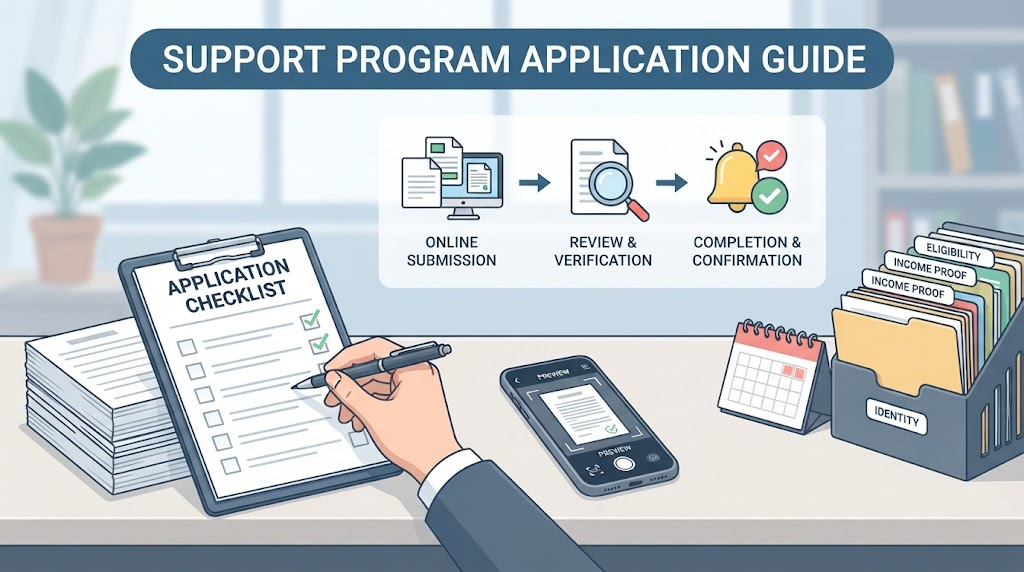
Checklist for Responding to Document Supplementation Requests After Submission and Confirming Final Completion of Application
Just because you have finished your online application does not mean all processes are over. The part that is most important yet missed by many applicants during the support fund screening process is ‘monitoring after document submission.’ Here is a checklist summarizing why you cannot rest easy until the end after applying and tips on how to cope.
- Prompt Response When a Document Supplementation Request (Revision Resubmission) Occurs
Frequent Checking of Notification Texts and Status: If some items are incomplete or difficult to verify during the document review process, the responsible public official or operating organization will request ‘document supplementation’ via text message (SMS) or phone call.
Immediate Revision Within the Designated Deadline: If you receive a supplementation request, do not put it off thinking, “I’ll do it later,” but rather promptly re-issue the missing documents within the guided deadline (usually within 1 to 3 days), re-upload them to the corresponding platform, or quickly submit them to the designated email. Special care is required because exceeding the deadline results in direct disqualification from the screening.
- Confirming Final Application Completion Through My Page and Application Receipt
Processing Status Check: Do not just trust the screen right after submission; within 2 to 3 days, you must log in to My Page on platforms like Employment24 or Bokjiro and directly check whether the status of your application has properly changed to ‘Application Completed’ or ‘Under Screening.’
Re-checking Rejected Cases: If the status has changed to ‘Rejected’ due to system errors or failure to meet requirements, you must figure out the reason and proceed with re-application immediately. You can prevent in advance the misfortune of leaving the application unattended, missing the deadline, and regretting it later.
- Habit of Utilizing Inquiries to Local Governments and Operating Organizations
If you read the public announcement and are still unsure about where to issue documents or what the criteria are, instead of agonizing alone, calling the dedicated call center or the contact number of the responsible official listed at the bottom of the public announcement in advance is the surest way.
If you inquire specifically, saying, “Does this document I intend to submit fit the corresponding conditions?”, you can reduce wasted effort and accurately submit your application all at once.
Meticulousness in taking care of feedback even after application, alongside thorough document preparation and online entry, serves as the final period to successfully receive the young professional support fund!

Conclusion and Summary: Succeeding in Young Worker Support Funds on the First Try Through Thorough Advance Checks
We have thoroughly reviewed everything from common mistakes made when preparing essential eligibility requirements and latest supporting documents for the young worker support fund, to tips for accurately entering personal and workplace information on online application platforms such as Goyong24 or Bokjiro, as well as methods to promptly respond to document supplementation requests after submission and verify final completion.
Shall we neatly summarize today’s key points in three lines?
First, supporting documents such as employment certificates or resident registration transcripts must be prepared as recently issued up-to-date versions, and you must thoroughly check that required options requested in the announcement, such as the latter part of the registration number or detailed addresses, are not omitted.
Second, when applying online through Goyong24 or Bokjiro, double- and triple-check basic information such as your name, contact information, business registration number, and employment date to avoid misentries, and be sure to increase the resolution of uploaded files to prevent unreadability issues.
Third, continuously monitor the ‘Submission Completed’ status through your My Page even after submission, and if the person in charge requests document supplementation, respond promptly within the specified deadline to prevent the risk of disqualification.
If you miss out on valuable support benefits or experience delayed payments due to trivial carelessness or incomplete documents thinking “Surely this much will be fine,” there would be nothing more frustrating than that.
Based on the checklist shared today, complete your advance checks meticulously and secure the support fund with a single application to lay a solid foundation for your working life. That is all for the content prepared today. Thank you for reading, and we wish you peaceful and energetic days ahead! 😊
Korean version: 한국어로 읽기