Introduction (Prologue)
“I get off work late, and I have absolutely no time to visit the employment center on weekday afternoons—how can I receive government-funded training support?”
Whether you are an office worker preparing to change jobs or a job seeker aiming for employment, the need for government-funded training (K-Digital Training / K-Work Tomorrow Learning Card) is felt acutely. This is because you can receive training subsidies ranging from 3 million KRW up to 5 million KRW to build the skills you want, such as IT coding, professional certifications, tax accounting, and design.
However, when it comes time to apply, many people hesitate because of worries like “Don’t I have to visit the employment center in person for counseling?” or “Do I have to take a half-day off from work because there are so many documents to fetch?”
To start with the conclusion, there is absolutely no need to visit the employment center.
Using the mobile app for the integrated employment service platform ‘Employment24 (Goyong24)’, you can complete your application with just a few taps on your smartphone, whether on the subway during your commute or on a relaxing weekend evening at home.
In this article, we will guide you step by step through a practical mobile guide to applying for and receiving approval for the Tomorrow Learning Card in just 5 minutes with a single smartphone, without the need to wander around center counters with complicated paperwork preparation.

Checklist of Essential Items Before Applying on Mobile
If you leave the screen halfway through the application process on your smartphone due to document or verification issues, you face the inconvenience of having to re-enter everything from the beginning. By checking the 4 essential items below in advance before applying, you can finish your application smoothly in 5 minutes.
- Identity Verification Method (Simple Authentication or Mobile ID)
Identity verification is essential at the Goyong24 mobile app login and the final electronic signature steps of the application.
- Recommended Authentication: Private simple authentication certificates such as KakaoTalk, Naver, PASS, and Toss (if the app is installed on your smartphone and you use it regularly, you can sign immediately without copying separate certificates)
- Alternative Method: When using a joint certificate (formerly accredited certificate) or financial certificate, the certificate must be saved in advance within your smartphone browser or app.
- Account in Your Own Name and ID Card (for card issuance)
The Tomorrow Learning Card is issued as a physical financial debit card or credit card. You must prepare a payment account in your own name in advance to link with the card company (Shinhan Card or NH Nonghyup Card).
- When choosing Shinhan Card: Most commercial bank accounts including Shinhan, Kookmin, Woori, and Hana can be linked
- When choosing Nonghyup Card: An account in your own name at Nonghyup Bank or local Agricultural/Livestock Cooperatives (Nong/Chukhyup) is required
- When selecting a debit card, you must enter your account number during the issuance process; in the case of a credit card, an identity card (Resident Registration Card or Driver’s License) verification step may be required for card company review.
- Mobile Supporting Documents by Eligibility Category (photo taken in advance for eligible applicants only)
General job seekers or regular employees whose employment insurance is automatically verified via the Korea Workers’ Compensation & Welfare Service database proceed with electronic verification without attaching separate documents. However, if you fall under any of the categories below, you must clearly photograph the original document using your smartphone camera without distortion (JPG, PNG) or save it as a PDF in advance.
| Target Category | Required Supporting Documents Submitted via Mobile | Remarks |
|---|---|---|
| University (Graduate) Students | Certificate of Enrollment, Academic Transcript, or Certificate of Expected Graduation | To verify the final academic year or remaining duration of study until graduation |
| Individual Business Owners (Self-Employed) | Certificate of Business Registration, Certificate of Value-Added Tax Taxable Base | To verify annual sales (below the threshold amount) |
| Special Types of Employment / Freelancers | Recent Certificate of Income Amount or Commission (Service) Contract | To screen whether recent income criteria are met |
| Persons on Leave of Absence / Active Military Personnel | Notice of Leave of Absence (Leave Confirmation) / Certificate of Military Service stating scheduled discharge date | To verify period of service and status of leave of absence |
Precautions when taking photos of documents
Because mobile review is conducted via document image reading, there must be no light reflection, shadows, or cropped letters so that approval is granted at once without supplement requests (rejections). The issuance date of the document is generally valid within 1 to 3 months of issuance.
- Install the Official Goyong24 Mobile App
Although you can also access it via mobile web browsers (Safari, Chrome), it is safer to pre-install the official ‘Goyong24’ app from Google Play Store or Apple App Store to prevent file attachment errors and smoothly manage mobile attendance tracking and course registration in the future.
Installing Essential Apps and Setting Up the Basic Environment
To smoothly apply for government-funded training (Tomorrow Learning Card) via mobile, you must first complete a 3-step basic setup before proceeding to fill out the application: installing the official app, verifying your identity, and watching the preliminary orientation video.
- Installing the Official ‘Goyong24’ Mobile App
All online services from the Ministry of Employment and Labor that were previously scattered across Worknet, HRD-Net, and the National Employment Support Program have been integrated into a single ‘Goyong24’ app. While you can also access it via a mobile web browser, installing the dedicated app is recommended to manage training course attendance tracking (QR/beacon) and real-time notification reception in one place after the card is issued.
Android: Enter ‘Goyong24’ in the Google Play Store search bar and install
iPhone (iOS): Enter ‘Goyong24’ in the Apple App Store search bar and install
Caution: Since private educational institutions or private brokerage apps may appear at the top during searches, make sure to check that the official app lists the developer as the ‘Ministry of Employment and Labor’ or ‘Korea Employment Information Service’.
- Completing Fast Login with Simple Authentication
When you launch the app, the first step is to log in with identity verification. By using simple authentication already installed on your smartphone without having to copy joint certificates, login is finished within seconds.
- Tap the [Login] button at the top right of the app’s first screen
- Select [Simple Authentication] among the login methods
- Choose the service you normally use among KakaoTalk, Naver, PASS, Toss, and Shinhan Certificate
- Enter your name, Resident Registration Number, and mobile phone number, then request authentication
- Switch to the respective authentication app, approve with fingerprint/PIN authentication, and return to Goyong24
If you have an existing HRD-Net or Worknet account, it will immediately convert into an integrated account through One-ID linking without going through complicated separate membership registration procedures.
- Essential Prerequisite: Watching the ‘Tomorrow Learning Card Issuance Guidance Video’
The most common reason people get stuck while filling out the application is ‘not watching the orientation video’. If you do not watch this video to the end, the application submission button itself will not be activated.
Access Path: Goyong24 Mobile App Home ➔ Full Menu (hamburger menu at top right) ➔ [Vocational Skills Development] ➔ [Tomorrow Learning Card] ➔ Automatic guidance upon entering [Apply for Issuance]
Duration: Approximately 10 minutes
Viewing Tips:
Playback history is credited only when played back normally from the beginning, as double-speed playback and forced skipping are restricted.
You must tap quizzes or confirmation pop-ups that appear mid-video to proceed to the next chapter.
After viewing is completed, make sure to verify that the message ‘Training Video Viewing Completed’ and the completion date are properly reflected on screen.
Now, all preparations are complete to move on to the actual card application form.
5 Steps to Apply for Government-Funded Training via Mobile Without Visiting an Employment Center
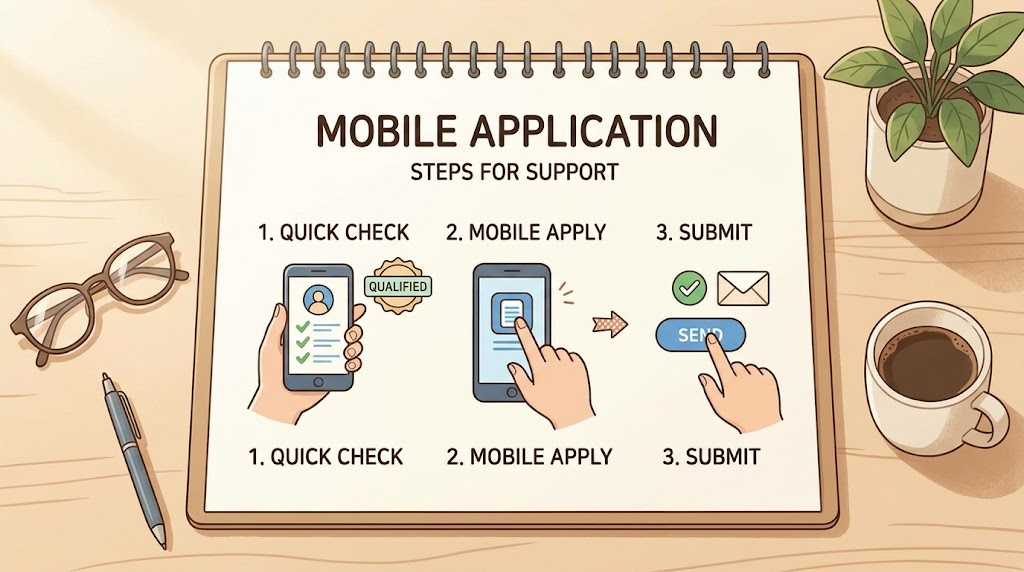
If you have finished checking your preparation checklist and viewing the advance orientation video, it is time to write the actual card issuance application. By following the 5-step procedure below according to the on-screen instructions in the Goyong24 mobile app, you can complete your submission in about 3 to 5 minutes.
Step 1: Accessing the Issuance Menu and Self-Diagnosing Application Eligibility
This is the stage where you initially check your qualification eligibility on the mobile screen.
Menu Access: Goyong24 Home ➔ Search ‘Tomorrow Learning Card Issuance’ in the top search bar or tap [Vocational Skills Development] ➔ [Tomorrow Learning Card] ➔ [Apply for Issuance]
Completing the Issuance Eligibility Checklist:
Whether you are a current civil servant or private school faculty member
Whether you are 75 years of age or older
Whether you are an employee of a large enterprise under the age of 45 who meets the average monthly wage threshold (3 million KRW or more)
Remaining duration of study until university graduation, etc.
Accurately check ‘Yes / No’ for the question items displayed on the screen. If there are no disqualifying grounds, you will immediately proceed to the next application form screen.
Step 2: Basic Personal Details and Selecting Eligibility Category
Confirm the personal information registered in the electronic system and specify your current employment status.
Confirming Personal Details: Review your name, Resident Registration Number, actual residential address, mobile phone number, and email, and make modifications if there are changes. (The competent employment center is automatically assigned based on your residential address.)
Target Category (Employment Type):
Job Seeker: Unemployed individuals, non-working youth, those seeking a job transition
Worker: Currently employed individuals enrolled in employment insurance, short-term workers, dispatched/contract workers
Special Type of Employment / Freelancer: After-school/workbook tutors, insurance planners, freelance developers, etc.
Self-Employed: Individual business owners holding a business registration certificate
University (Graduate) Student: Scheduled graduates or enrolled students meeting the required study duration criteria
Tip: Since it is linked in real time with the Korea Workers’ Compensation & Welfare Service employment insurance DB, if you are currently enrolled in employment insurance, the system will automatically recommend the ‘Worker’ type.
Step 3: Specifying Card Type (Debit/Credit) and Issuing Bank
The Tomorrow Learning Card is manufactured in the form of a physical financial card. Because the subsidy (virtual voucher limit) is assigned to the card, you must select the financial institution and card type.
Card Issuer Selection: Choose between Shinhan Card vs NH Nonghyup Card
Card Type Selection:
Debit Card: Self-pay amount is paid within the balance of your own payment account (linked bank) (no annual fee, easy issuance for university students and the unemployed)
Credit Card: Undergoes card company credit screening, can be combined with standard credit card benefits
If you already have an account with the same card company, selecting a debit card ensures the fastest review and issuance speed.
Step 4: Setting the Physical Card Receiving Method and Delivery Address
Designate how you will receive the physical card after it is finally approved. Since the goal is to avoid visiting an employment center, you should select ‘Postal Delivery’.
Selecting Receiving Method:
Postal Delivery (Home / Workplace): Registered mail delivery to the entered address (direct in-person receipt required, recommended)
In-Person Bank Visit: Receive the card on the same day at a Shinhan Bank or Nonghyup branch counter by presenting the Card Issuance Confirmation Certificate (useful if immediate same-day issuance is needed)
If you choose postal delivery, accurately enter an address where you reside during daytime hours (home or workplace) so that you can sign and receive it directly in person.
Step 5: Attaching Supporting Document Files and Submitting Electronic Signature
Upload the required supporting documents according to your eligibility category and proceed with the final electronic signature.
Attaching Documents: For general job seekers or regular workers whose electronic records have been verified, the attachment section is deactivated or skipped. If you are subject to document submission, such as university students, business owners, or special employment types, load and upload pre-photographed files (JPG/PNG/PDF) from your smartphone gallery or file storage.
Automatic Jurisdiction Confirmation: Verify that the competent employment center corresponding to your residential address is matched correctly.
Electronic Signature and Submission: After tapping the [Submit Application] or [Apply for Issuance] button at the bottom, complete the electronic signature using simple authentication such as Kakao, PASS, or Naver to finish the application.
Immediately upon submission, a pop-up indicating “Your application has been normally submitted” will appear, and an informational text message with the receipt number and competent center details will be sent.

Checking Approval Status and Receiving the Card After Application
Once you have finished submitting your mobile application, the eligibility review by the competent employment center and the production and shipping process by the card company will now proceed. Here is the detailed process from checking the review stages in real time on the mobile app, handling supplement requests, to receiving the physical card.
- Real-Time Tracking of Review Status on Goyong24 Mobile
Once the application is successfully delivered, an officer at the competent employment center is assigned and begins evaluating your eligibility.
Inquiry Path: Open Goyong24 App ➔ Top Right [My Page] ➔ [Training Management] or [Application/Inquiry History] ➔ [Tomorrow Learning Card Application History]
Meaning of Each Status:
Awaiting Receipt / Receipt Completed: The application has been registered in the system, waiting for officer assignment or currently being checked
Under Review: The stage where the officer cross-checks and reviews employment insurance history, income criteria, submitted documents, etc.
Supplement Requested: A state requiring additional verification due to incomplete documents or entry errors
Card Issuance Approved (Processing Complete): The stage where the eligibility review is finally passed and issuance instructions data have been transmitted to the card company
Generally, if there are no document issues, approval is completed within 2 to 5 business days from the date of submission, and the results are sent via Kakao Alimtalk or SMS immediately upon approval.
- Mobile Handling Method When Receiving a ‘Supplement Request’ Notification
If the resolution of a document is low or additional proof of income is needed, a supplement request message will arrive from the employment center. At this time, you can supplement it immediately with your smartphone without needing to visit the center in person.
- Check the reason for supplement (e.g., missing seal on certificate of enrollment, re-attaching certificate of income amount, etc.) stated in the Alimtalk or text message.
- Clearly retake a photo of the requested document or prepare it as a PDF.
- Goyong24 Mobile App ➔ [My Page] ➔ [Tomorrow Learning Card Application History] ➔ Select the corresponding case and tap the [Supplement] button
- Upload the newly prepared file and save it to return to the awaiting review status.
- Card Company Issuance Approval and Physical Card Delivery Period
When issuance approval is granted by the employment center, an identity verification and issuance confirmation notification (text message or phone call) will arrive from the selected financial institution (Shinhan Card or NH Nonghyup Card).
Postal Delivery Receipt (General Case):
It takes approximately 3 to 7 business days for card company production and delivery.
Due to the nature of physical financial cards, they are delivered by registered mail, so you must present your ID card and receive it directly in person. (This is why it was set to an address where you are present during daytime hours or your workplace.)
In-Person Bank Visit Receipt (Urgent Issuance):
If urgent receipt is required due to an approaching course start date, you can receive the physical card immediately on the same day by checking the [Card Issuance Confirmation Certificate] in Goyong24 and visiting the designated bank (Shinhan Bank or Nonghyup Bank branch) with your ID card.
- First Step After Receiving the Card: Limit Registration and Starting Use
Card Usage Registration: If you received and signed for it directly in person from the delivery courier, usage registration is usually completed automatically within a few hours. If a proxy received it or it is in an unregistered state, you must complete card usage registration via the card company customer center or mobile card app.
Checking Support Limit Linking: Once the card is activated, check whether the basic limit (3 million KRW, up to a maximum of 5 million KRW depending on conditions) granted to you is normally displayed on the card management screen in the Goyong24 app [My Page]. This limit must be displayed to proceed with actual government-subsidized course payment and class enrollment.

Finding Desired Training Courses and Applying for Enrollment via Mobile
Once you have received your card and your support limit is normally activated, it is now time to search for your desired educational courses and proceed with class enrollment using your smartphone.
This is a practical guide to finishing the entire process via mobile, from searching for training to calculating out-of-pocket expenses, applying for classes via mobile, and future attendance management.
- Tips for Mobile Search and Filtering of Training Courses That Fit You
Tens of thousands of online and offline government-funded courses nationwide are registered in the Goyong24 mobile app, so you need to set up precise search filters to avoid wasting time.
Search Path: Goyong24 App Home ➔ [Vocational Skills Development] ➔ [Find Training Courses and Apply]
Smart Filtering Tips:
Region Setting: For offline academies, specify by city, county, or district near your home or workplace
Class Format: If commuting is difficult, select ‘Distance Training (Online/Internet)’ or ‘Blended Training (Online/Offline Combined)’
Weekend/Night Courses: If you are an employed worker, check ‘Weekend Class’ or ‘Night Class’ in the filter
NCS Job Sector: Specify categories of interest such as IT, design, accounting/taxation, barista, baking, etc.
Search Pro Tip: Check Training Institution Evaluation Grades
In the search results list, tapping and checking the ‘Excellent Training Institution’ badge (certified for 3 or 5 years) displayed next to the institution’s name, course reviews (star ratings and student reviews), and employment rate indicators will be very useful in choosing a fail-proof educational institution.
- Simple Mobile Calculation of Out-of-Pocket Expenses and Checking Government Subsidy Rates
When you enter the course detail page, you can immediately calculate the ‘actual out-of-pocket expenses I have to pay’ along with the total training costs.
Out-of-Pocket Expense Inquiry Button: Tap the [View Out-of-Pocket Expenses] button on the course details screen
Differentiated Application by Category: When you select your current status (general job seeker, employed worker, National Employment Support Program Type 1 or 2, Earned Income Tax Credit recipient, etc.), the system automatically calculates the reduction rate and displays the actual payment amount.
K-Digital Training (KDT): 100% full support once in a lifetime (0 KRW out-of-pocket expense)
National Key and Strategic Industry Training: 100% free support + training allowance paid
General Vocational Courses: An out-of-pocket copay of approximately 15% to 55% occurs depending on the employment rate of the job category
Precautions for Paying Out-of-Pocket Expenses: For courses where out-of-pocket expenses occur, you must pay with the issued Tomorrow Learning Card (linked account) for the government voucher to be linked and applied.
- 2 Routes for Mobile Course Application (Online Application vs Academy Consultation)
Once you have selected your desired course, follow the mobile procedure according to the application method.
Short-Term Courses Under 140 Hours:
You can submit the application immediately without an employment center review by tapping the [Apply for Course] button at the bottom of the course details page in the Goyong24 mobile app.
Long-Term Courses of 140 Hours or More (Employment Bootcamps, National Key/Strategic Industry Training, etc.):
Once you fill out the 1st course application and training plan in the app, a phone or online consultation procedure with the competent employment center will proceed. Because a preliminary interview or admission consultation with the respective academy may be necessary, it is recommended to make a preliminary registration inquiry using the academy contact information on the details page.
- Essential During Course Attendance: Goyong24 Mobile App Attendance Check (QR/Beacon)
Once training begins, attendance management is handled entirely through your smartphone. You must maintain an attendance rate of 80% or higher to retain training subsidy support and avoid non-completion penalties.
Offline On-Site Lectures:
Scan the QR code attached to the classroom entrance using the attendance camera inside the Goyong24 app, or turn on the Bluetooth Beacon signal inside the classroom to automatically check check-in and check-out times by the minute.
Online Remote Lectures:
Progress rates are recorded in real time through the Goyong24 mobile-linked LMS (online learning window), and identity verification as well as study completion status for each session are automatically registered in the electronic system.

Frequently Asked Questions (FAQ) and Application Tips
Here are 5 representative questions clearly organized that many people find confusing or encounter unexpectedly when applying for the Tomorrow Learning Card via mobile.
Q1. It has been only a few days since I resigned; should I apply as a ‘Job Seeker’ or an ‘Employed Worker’?
A. It is determined by whether your status as an ‘Employee Insured under Health Insurance’ or ‘Loss of Employment Insurance Coverage Report’ has been processed in the electronic system.
If the company’s HR department has not yet completed the report of loss of the 4 major social insurances, you may still appear as an employed worker in the system.
Even before it is reflected in the system, the card can still be issued, so it is completely fine to apply under the current status (employed worker) shown by the system.
In any case, since it was unified into the ‘Tomorrow Learning Card’ after 2020, the same limit of 3 million to 5 million KRW applies with a single card regardless of whether you are classified as a job seeker or an employed worker.
However, if you plan to participate immediately in long-term training exclusively for job seekers (such as National Key and Strategic Industry Training or KDT with 100% government subsidies) after resigning, you must register for courses after the company’s loss report is completely processed and your status is switched to ‘Unemployed (Job Seeker)’ to fully receive the training allowances or 100% subsidy benefits.
Q2. I am a prospective university graduate, but my certificate cannot be issued yet. How do I submit it?
A. You can submit both a ‘Certificate of Enrollment’ and an ‘Academic Transcript’ that can verify your academic year and completed semesters together.
The Tomorrow Learning Card is eligible for issuance starting from university junior year (3rd year for 4-year degree programs, for students with 2 years or less remaining in their required duration of study until graduation).
If it is a period when an official ‘Certificate of Expected Graduation’ can be printed through the school administration office, an automated kiosk, or Government24, that is the most definitive.
If printing a Certificate of Expected Graduation is impossible because the issuance eligibility date has not yet arrived, take a photo with your mobile camera and upload a Certificate of Enrollment indicating your current academic year or an Academic Transcript showing credits completed up to the previous semester; the reviewing officer will cross-check the remaining semesters and grant approval.
Q3. When does a call from the employment center or a request to appear in person happen?
A. These are exceptional cases where you have applied for a long-term training course of 140 hours or more or where the submitted documents are difficult to read.
Unclear Documents: If text on a document photographed with a smartphone is blurred or an essential official seal (stamp) is missing, the officer will instruct you to supplement the document by phone. In this case as well, you do not need to visit; you just need to re-attach the file in the Goyong24 app.
Long-Term Course Consultation: When applying for National Key and Strategic Industry Training or K-Digital Training (bootcamps) of 140 hours or more, a 1:1 phone consultation (telephone interview) with an officer may be conducted to inspect the validity of your vocational training plan. If you briefly explain your motivation for taking the course and your intention to find employment over the phone, the consultation concludes over the phone without visiting the center.
Q4. Is card issuance possible even if I have bad credit or my bank account is under attachment?
A. Because the subsidy eligibility itself is maintained, issuance is possible, but coordination of the receiving method is necessary due to financial institution account issues.
The Tomorrow Learning Card is a form that combines a government voucher limit (virtual account) with a bank financial card (physical payment).
Credit card issuance is not possible due to financial institution credit screening, but opening a debit card is often possible.
If all accounts across commercial banks are under attachment, you should consult by phone with the competent employment center and the linked bank (Shinhan/Nonghyup) counter regarding whether linking an attachment-protected dedicated account (such as Happy Fund) is possible to receive guidance on exception issuance procedures.
Q5. I have a card issued in the past, but the expiration date has passed. Do I have to apply anew?
A. If the validity period (5 years from the date of issuance) has expired or the limit has been completely exhausted, you must apply for ‘Reissuance’ via mobile.
First check the remaining validity period and subsidy balance of your existing card in the Goyong24 mobile app ➔ [My Page] ➔ [Tomorrow Learning Card] menu.
After the 5-year validity period has completely ended, if you submit a reissuance application through the same 5-step procedure as a new application, you can be granted a new 5-year cycle voucher.
💡 Bonus Application Tip: How to Shorten Approval Time When Submitting on Weekends
When you submit a mobile application on weekends (Saturday/Sunday) or public holidays, assignment to the competent employment center and screening begin sequentially starting from the morning of the next first business day (Monday).
To prevent delays in screening on Monday morning, submitting the application in advance on Sunday evening and thoroughly completing the mandatory ‘Pre-Orientation Video Viewing’ and ‘Document Attachment’ will actually result in faster processing than applying on a weekday afternoon.
Conclusion (Summary and Next Episode Preview)
In your busy daily life, there is absolutely no need to use annual leave or carve out weekday afternoon hours to visit the employment center counter in person. As long as your smartphone and simple authentication are ready, you can easily claim government-funded training benefits on the subway during your commute or at home on a weekend evening.
Summary of Core Mobile Application Procedures at a Glance
| Step | Main Content | Key Checkpoints |
|---|---|---|
| 1. Preliminary Setup | Install ‘Goyong24’ App & Log In with Simple Authentication | Check official app, watch the approx. 10-minute orientation video completely |
| 2. Information Entry | Eligibility Self-Diagnosis & Check Personal Information | Accurately select employment type (job seeker/worker/university student, etc.) |
| 3. Card Configuration | Designate Financial Institution (Shinhan/Nonghyup) & Card Type (Debit/Credit) | Select postal delivery to a location where in-person receipt is possible during daytime hours |
| 4. Document Attachment | Upload Supporting Documents by Category & Electronic Signature | Upload image files with clear text and seals, then submit finally |
| 5. Review & Receipt | Check Mobile Review Status & Physical Card Delivery | Registered mail delivery after 2 to 5 business days of review, confirm card usage registration |
Vocational skills development training costs provided by the government (base 3 million KRW, up to 5 million KRW) are both a right and an opportunity that you cannot receive unless you apply. If there is a field you have always wanted to learn, such as obtaining a certification, an IT coding bootcamp, tax accounting, or design, do not delay and finish applying on mobile in 5 minutes today.
[Next Episode Preview]
Even if you are issued a Tomorrow Learning Card, out-of-pocket expenses of 15% to 55% may occur depending on the course.
In the next post, we will cover in detail “How to Find Courses Covered 100% with 0 KRW Out-of-Pocket Expenses with the Tomorrow Learning Card (Practical Search Guide for KDT, National Key/Strategic Industry Training, etc.).”
Here are the next steps to complete publishing the blog:
Korean version: 한국어로 읽기